10 Source Four Zoom User Manual
Cleaning Lens and Reflector
Replace lenses if they contain visible damage (cracks or deep scratches) that may impair their
effectiveness.
Cleaning glass lens
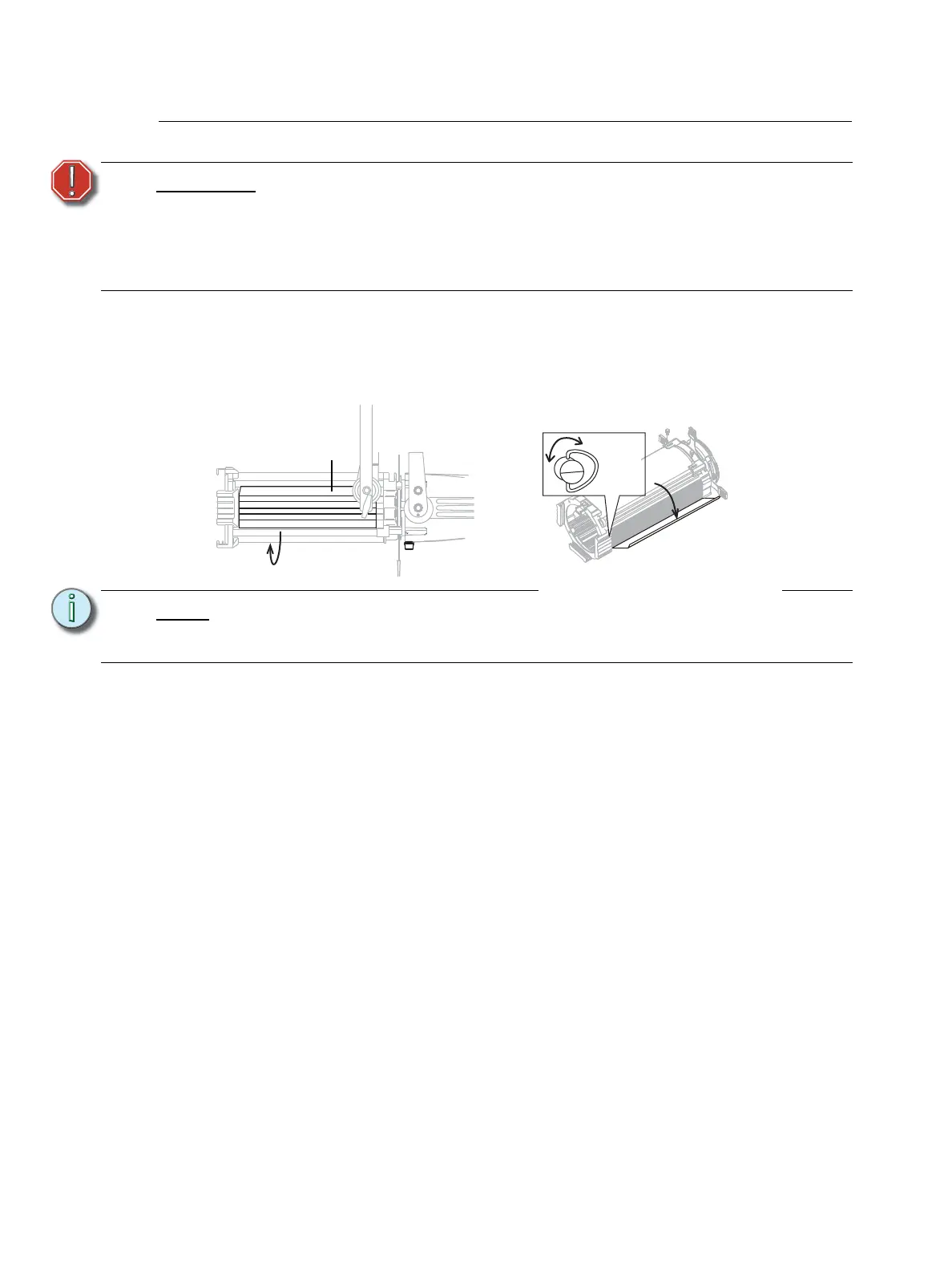
Step 1: Rotate the extrusion door fastener 1/4 turn to the right or left and open extrusion door.
Step 2: Set the lens to the narrowest field angle to maximize the distance between the lenses.
Step 3: Remove dust with a blast of oil-free air or wipe with a clean, lint-free cloth. Isopropyl
alcohol, distilled water or a 50%-50% mixture of each can be used to clean the glass
surface.
Step 4: Close the extrusion door and turn the fastener 1/4 turn to secure it.
WARNING:
Do not use ammonia-based or other harsh commercial cleaners. Clean lens
and reflector only as directed.
Commercially available glass cleaning agents should be avoided as they
may contain ammonia, other harsh chemical detergents or abrasive agents.
These cleaners may damage the glass surface and the Anti-Reflective
coatings. Do not immerse or soak the glass in any cleaning solution.
Note:
To clean the 15°-30° Zoom, rotate the lens tube to its limit in one direction
(approximately 25°) so the extrusion door will clear the balance yoke. See
Figure 15.
Turn to
the left
or right



 To Next Page