EN 10
OPERATION
Programming the kitchen timer
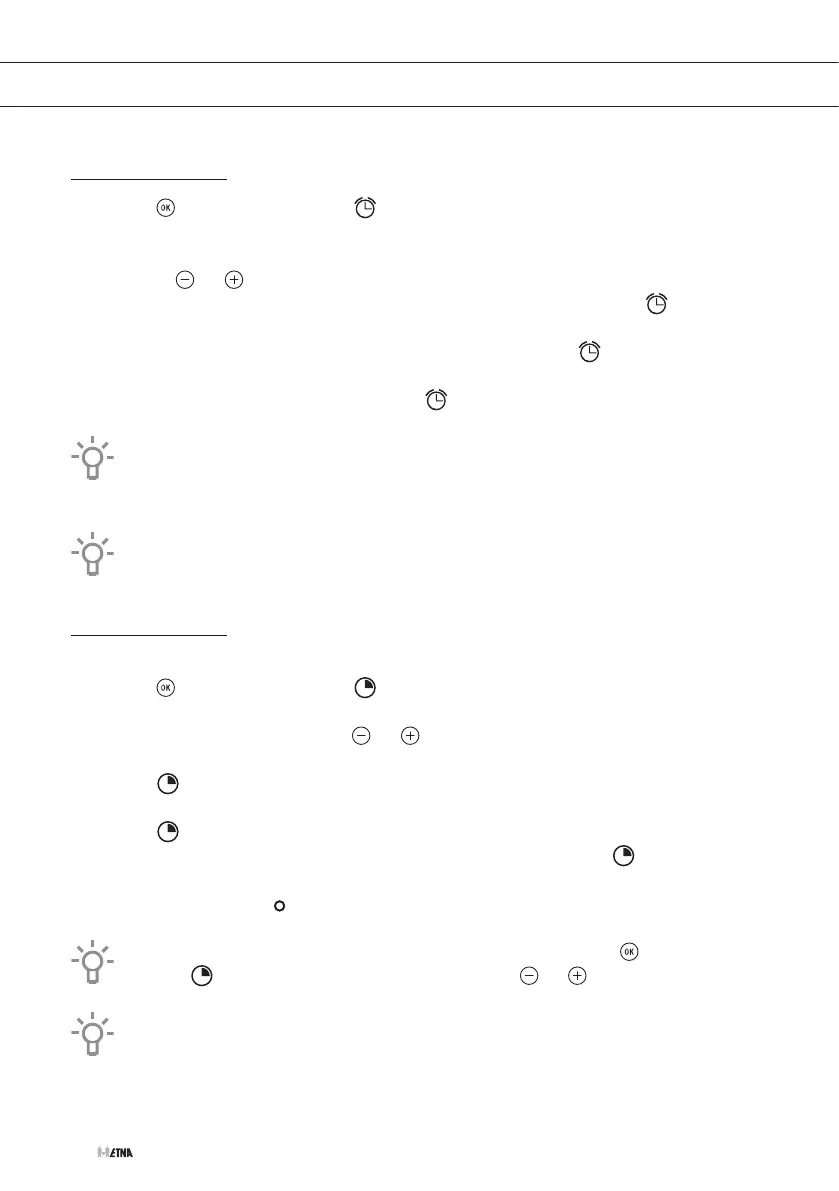
1. Touch (several times) until the symbol on the display starts flashing.
▷ The indication ‘00:00’ will appear on the display.
2. Set the time after which you want the audio signal of the kitchen timer to sound by
touching or .
▷ You will hear an audio signal to confirm that the time has been set. The symbol will
flash slowly.
▷ Once the time has expired, an audio signal will sound and the symbol will flash
quickly.
3. Touch any key to stop the audio signal. The symbol will then disappear.
If you wish to modify the time of the kitchen timer, repeat the steps shown. Upon
entering the kitchen timer, the time currently remaining will appear, which you will be able
to adjust.
With the kitchen timer function, the oven will not turn off when the time expires.
Programming the cooking time
1. Select a cooking function and temperature.
2. Touch (several times) until the symbol on the display starts flashing.
▷ The indication ‘00:00’ will appear on the display.
3. Set the cooking time by touching or .
▷ An audio signal will sound, the remaining cooking time will appear on the display and
the symbol will flash slowly.
▷ Once the cooking time has ended, the oven will turn off, an audio signal will sound and
the symbol will flash quickly. 'End' appears in the display.
4. Touch the stop key to stop the audio signal and turn off 'End' and the symbol.
▷ The oven will switch on again.
5. Set the controls to the position to turn off the oven.
You can change the remaining cooking time at any time by touching (several times)
until the symbol starts to flash quickly. Now touch or to change the time.
You cannot see the current time on the display when a cooking time is programmed. The
remaining cooking time will show permanently on the display.



 To Next Page