EN 9
OPERATION
Setting the time
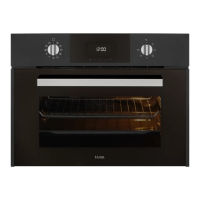
To set the time on the oven, the function and temperature dials must be in the
position.
• When you plug in the oven, you will see the clock flashing 12:00.
• Touch or to adjust the hours and then the minutes. You will hear an audio signal
confirming the time is set.
• If you wish to modify the time, touch or until the time starts flashing. Touch and
and follow the instructions in the previous point.
The clock light has a night mode so the display light will dim between 00:00 and 6:00
hours.
Manual operation of the oven
After setting the clock, the oven is ready for use.
1. Select an oven function and temperature.
• Turn the temperature dial if you want to change it.
• You will notice that the symbol lights up during cooking to indicate that heat is being
transmitted to the food. This symbol disappears when the selected temperature has been
reached.
2. Set the controls to to turn off the oven.
When you start cooking, your oven will show the time the oven has been cooking.



 To Next Page