11
DRAINING THE AIR TANK
• Put the On/Auto/Off switch to the “Off” position.
• Pull the regulator knob out and turn the knob until the outlet pressure reads zero.
• Remove all the air tools and accessories connected to the air compressor.
• Pull the ring on the safety valve and drain the air from the tank until the tank pressure
reads 20 psi, then release the safety valve ring.
• Drain the condensed water from the air tank by opening the drain valve (counter-
clockwise) on the bottom of the tank. NOTE: Tilt the tank forward to drain the tank
completely.
CAUTION
The tank should be drained daily. Water condenses in the air tank, if the tank is not drained
daily, the condensed water will cause corrosion to the air tank thereby weakening the air tank
and causing a risk of air tank rupture.
• After draining the water from the tank, close the drain valve (clockwise). The air
compressor can now be stored.
OIL
• Drain the air tank to relieve the air pressure before removing the oil fill or oil drain plug.
• Do not touch the compressor head or cylinder sleeve, as they are very hot parts.
CHECKING
• To check the oil level in the air compressor head, first set the On/Auto/Off switch to the
“OFF” position.
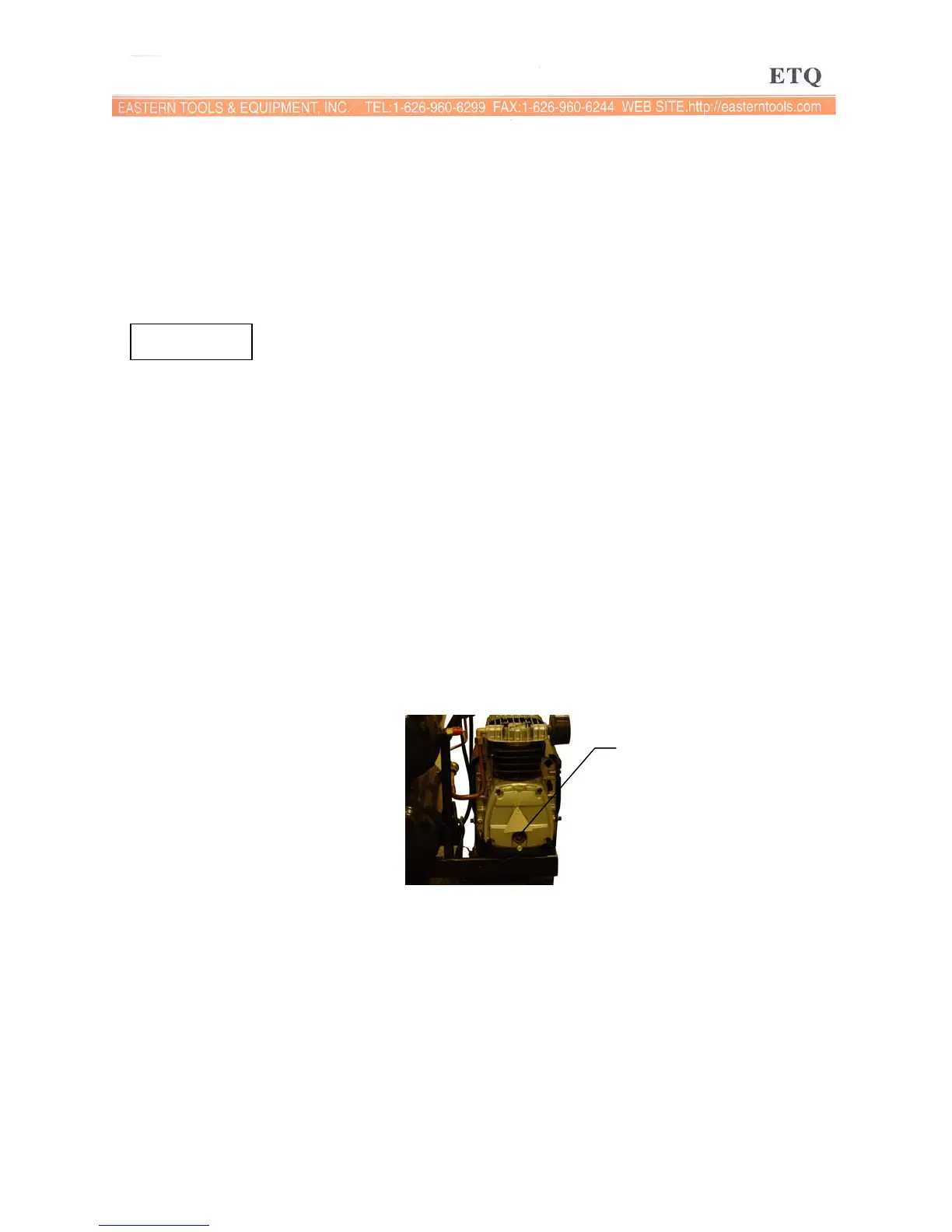
• Remove the filler plug to see that the oil level is full.
Oil viewing glass
• If the oil is not sufficient, add oil until the level is sufficient.
• Put the oil plug back in place.
CHANGING THE OIL
• Put the On/Auto/Off switch to the “OFF” position.
• Remove the oil filler plug.
• Remove the oil drain plug and drain the oil into a container.
• Install the oil drain plug and tighten slightly. Be careful not to over-tighten the bolt.
• Fill the compressor head with SAE30 oil until the level is showing full on the oil viewing
glass.


 To Next Page