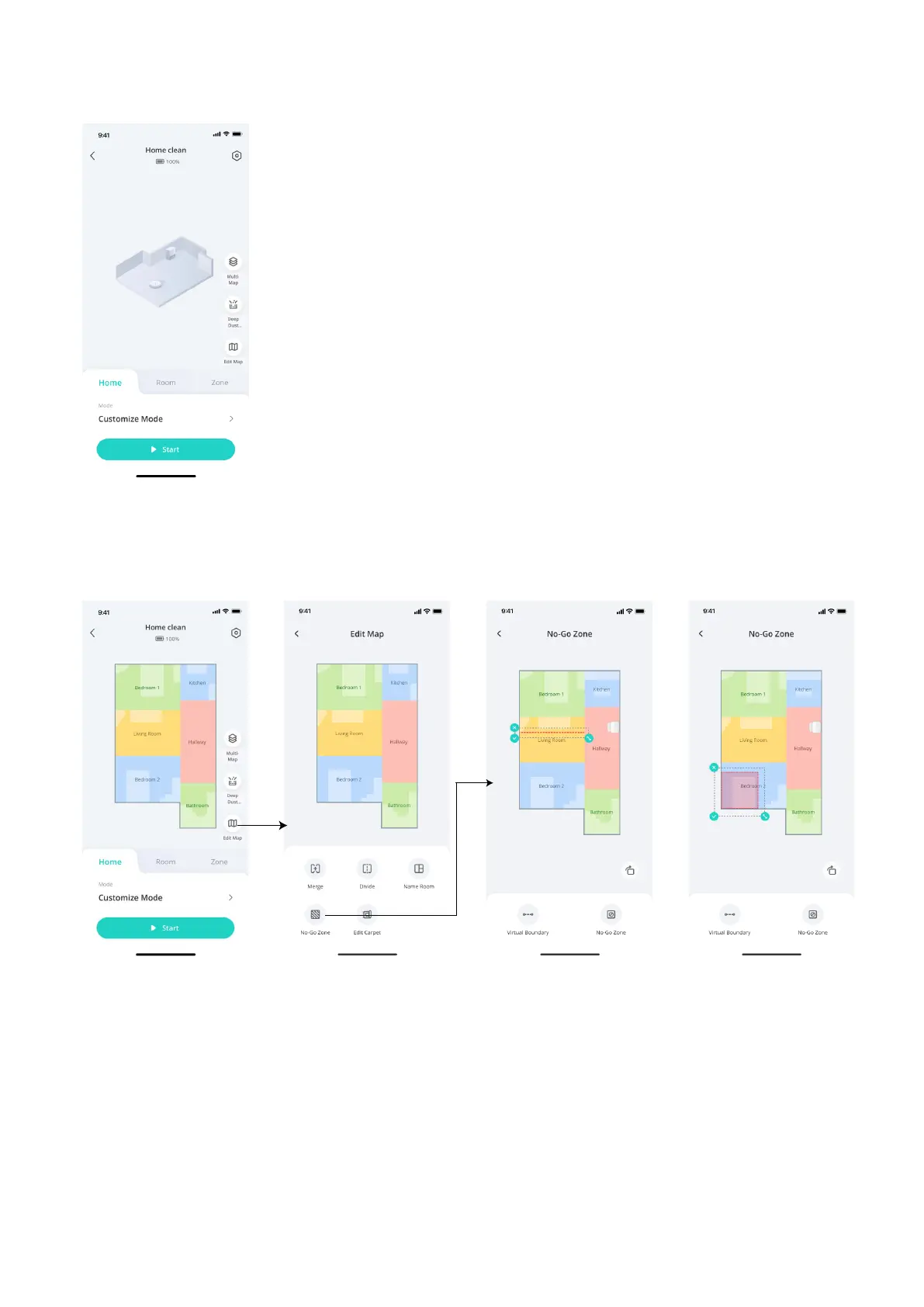
3.2 Quick Mapping before First Use
After your robot is connected, tap Enter and then Start on the screen to start quick mapping followed by a whole
house cleaning. Once the mapping is completed, you are ready to start cleaning.
3.3 Set Up No-Go Zone
With the eufy Clean app, you can set up a “No-Go Zone” as a restricted area, which the robot will not enter the
zone to vacuum. This eliminates the need to use physical barriers, including boundary strips. This feature is only
designed for dividing the cleaning zones, not for isolating hazardous areas.












 To Next Page