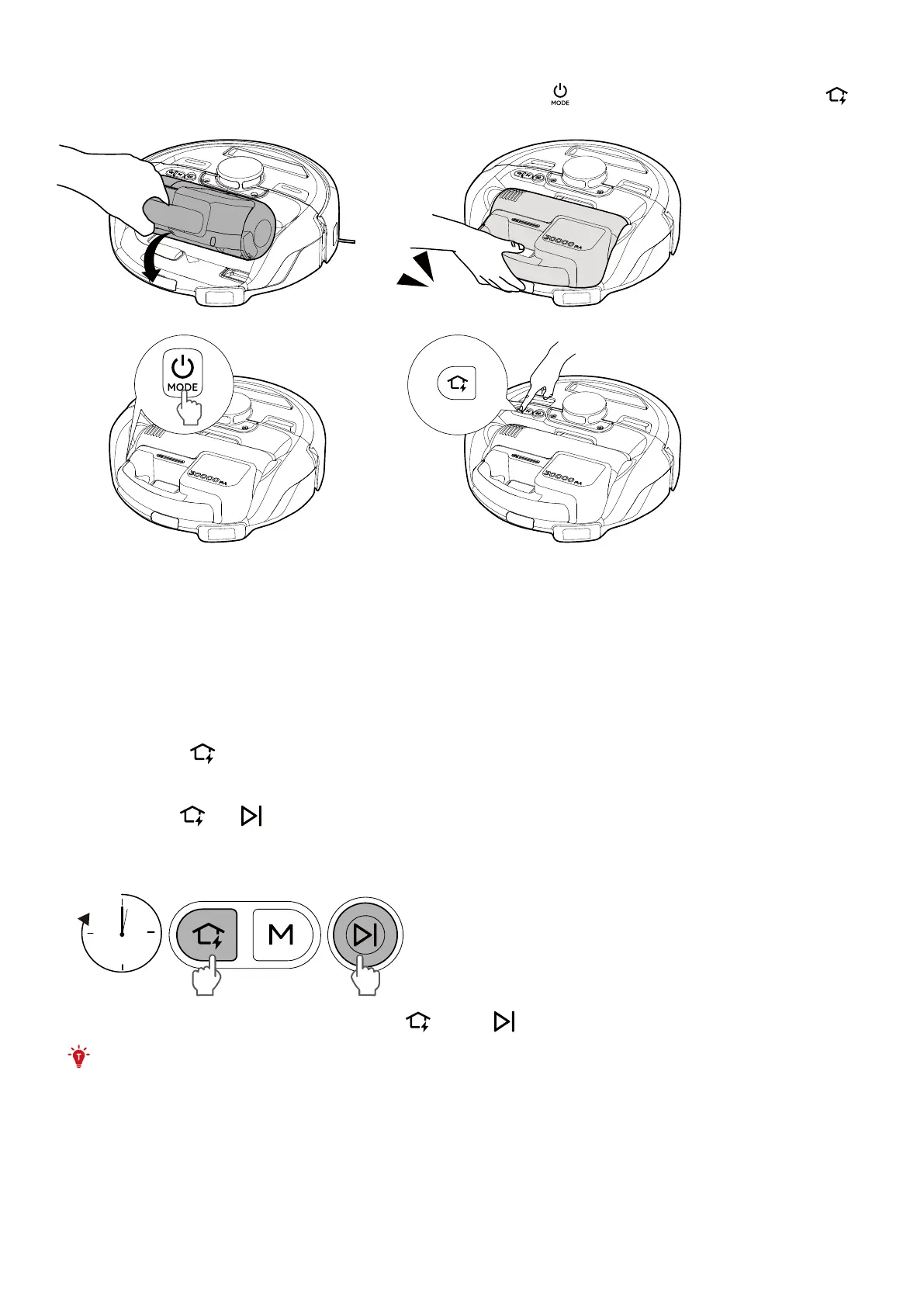
5.4 Charge the Cordless Stick Vacuum
Insert the Cordless Stick Vacuum and push down until it clicks. Press to power on the robot. Then press to
return the robot to the Self-Empty Station.
Click
➀ ➁
6. Auto Dust Collection
The dust bin can be automatically emptied when Auto Dust Collection is triggered. Auto Dust Collection will be
triggered in any of the following scenarios:
• The preset dust collection time is reached during cleaning process.
• The Robot finishes the cleaning task and returns to the Self-Empty Station.
• The Robot automatically returns to the Self-Empty Station after cleaning for more than 3 minutes.
• After more than 10 minutes of cleaning with the cordless stick vacuum, reinsert the vacuum back to the Robot.
You can also press
for 3 seconds or tap Deep Dust Collection in the app to empty the dust bin as necessary.
7. Enabling / Disabling Child Safety Lock
• Press and hold and simultaneously for 3 seconds to activate the child safety lock. Once the child safety
lock is enabled, all buttons will be locked to prevent children from damaging the device or accidentally getting
hurt.
3s
• To disable the child safety lock, press and hold and the button simultaneously for 3 seconds again.
• This function is also available in the eufy Clean app.
8. Cleaning and Maintenance
Prior to cleaning and maintaining, turn o the device and unplug the power cord.
For optimal performance, follow the instructions below to clean and maintain the product regularly. The cleaning
and replacement frequency will depend on your home environment and usage habits.












 To Next Page