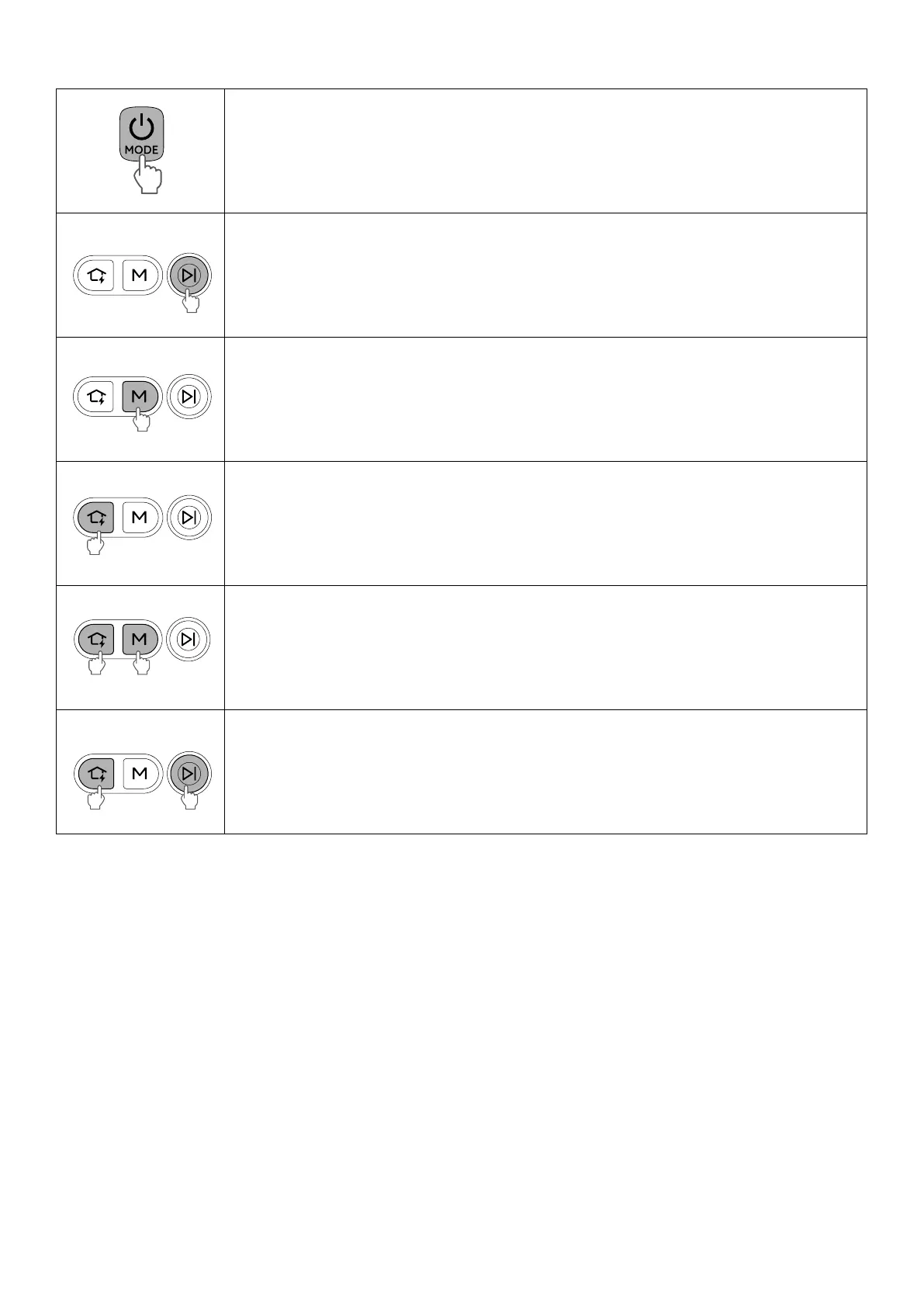
1.3 Button Controls
• Press to power on
• Press for 10 seconds to power o
• Press to start / pause cleaning
• Press to switch suction modes: ECO, Standard, Turbo, and Maximum
• Press for 3 seconds to indicate the battery level on the Cordless Stick Vacuum
• Press to return the Robot to the Self-Empty Station
• Press for 3 seconds to start emptying the dust bin and cleaning the rolling brush
• Simultaneously press for 3 seconds to start Wi-Fi connection
• Simultaneously press for 10 seconds to restore factory settings
• Simultaneously press for 3 seconds to enable or disable the child safety lock












 To Next Page