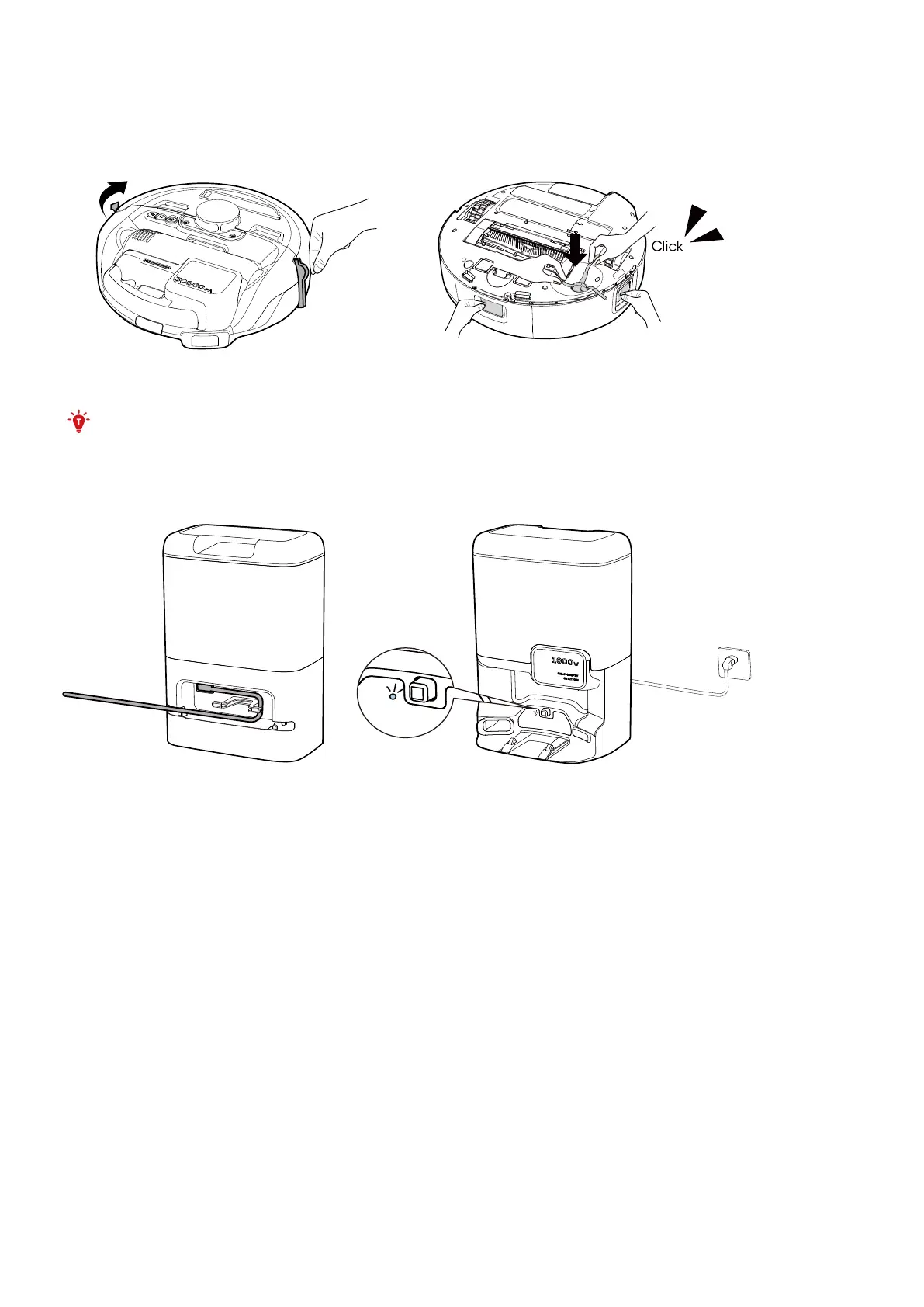
2.2 Prepare the Robot
1. Before using, remove stickers, laser protection film, and foam packaging from the Robot.
2. Make sure the brush is correctly installed based on the diagram below. You will hear a "click" when the side
brushes are in place.
• If you need to return or repair the product, do not remove the protective film.
2.3 Connect to Power Supply
Connect the power cord to the Self-Empty Station and a wall outlet.












 To Next Page