EasyManua.ls Logo

EUFY X9Pro - User Manual

EUFY X9Pro
64 pages
Print Icon
To Next Page IconTo Next Page
Loading...
T2320 51005003734 V02
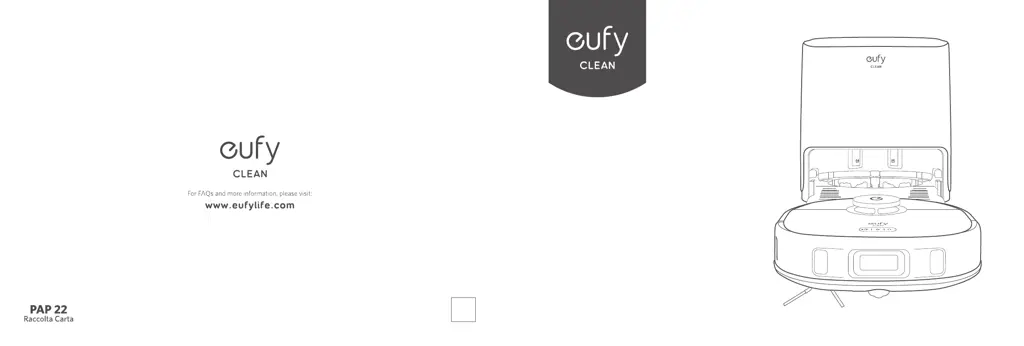
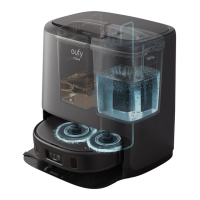
X9 Pro
Robotic Vacuum Cleaner with
Auto-Clean Station
OWNER'S MANUAL

Other manuals for EUFY X9Pro

Questions and Answers

  • C
    Christopher HarmonAug 15, 2025
    What to do if my EUFY X9Pro Vacuum Cleaner won't turn on?
    • J
      Julie BowmanAug 15, 2025
      If your EUFY Vacuum Cleaner will not turn on: 1. Press and hold the power button on the RoboVac for 3 seconds. 2. Ensure the battery is fully charged. 3. If it still doesn't respond, turn the RoboVac off and then back on again.
  • S
    Stephen MooreAug 18, 2025
    What to do if my EUFY Vacuum Cleaner stops working suddenly?
    • H
      Hunter McmillanAug 19, 2025
      If your EUFY Vacuum Cleaner stops working suddenly: * Check if the RoboVac is trapped or stuck on an obstacle. * Check if the battery level is too low. * If the problem continues, turn the RoboVac off, wait two seconds, and then turn it back on. * Check if the RoboVac has alerted you with any voice prompts or LED indicators.
  • L
    Lori LeeAug 21, 2025
    What to do if my EUFY X9Pro Vacuum Cleaner cannot be charged?
    • A
      Annette MclaughlinAug 22, 2025
      If your EUFY Vacuum Cleaner cannot be charged: * Dust off the charging contact pins with a dry cloth. * Check if you can hear the 'Charging' voice prompt when the RoboVac is attached to the Auto-Clean Station. * Reconnect the power cord with the Auto-Clean Station and try a new power outlet. * Consider replacing the Auto-Clean Station.
  • K
    Kevin DelgadoAug 25, 2025
    Why is the suction power weak on my EUFY X9Pro?
    • M
      Matthew LawsonAug 26, 2025
      If the suction power of your EUFY Vacuum Cleaner is weak, there might be several reasons: * Check for any blockages obstructing the suction inlet. * Empty the dust box. * Ensure the filter is dry. If it's wet from water or other liquids, air-dry it completely before using it. * Verify that the brush guard is correctly installed.
  • J
    Joann VillegasAug 28, 2025
    Why EUFY Vacuum Cleaner cannot return to the Auto-Clean Station?
    • L
      Laura HallAug 28, 2025
      If your EUFY Vacuum Cleaner cannot return to the Auto-Clean Station: * Remove any objects within 1.6 ft / 0.5 m to the left and right sides and within 4.9 ft / 1.5 m of the front of the Auto-Clean Station. * Check if the RoboVac is stuck on any objects. * Clean the charging contact pins.
  • A
    Amanda RiveraAug 31, 2025
    Why I cannot control EUFY Vacuum Cleaner with Amazon Alexa?
    • D
      Dr. Rebecca Collins DDSAug 31, 2025
      If you cannot control your EUFY Vacuum Cleaner with Amazon Alexa: * Check for any Internet connection problems. * Verify that you have installed the Amazon Alexa app on your smart device and enabled the 'eufy Clean - RoboVac' Skill in the Amazon Alexa app. * Ensure you have a eufy Clean account and have connected to RoboVac. * Make sure you are using the correct Alexa voice commands.
  • J
    jacob15Sep 4, 2025
    Why I cannot control EUFY X9Pro Vacuum Cleaner with the Google Assistant?
    • D
      Dr. Scott RamirezSep 4, 2025
      If you cannot control your EUFY Vacuum Cleaner with the Google Assistant: * Check for any Internet connection problems. * Check if you have installed the Google Home app onto your smart device and initiated the 'eufy Clean' action in the Google Home app. * Check if you are using the proper commands when talking to the Google Assistant. * Repeat your question and speak clearly to the Google Assistant.
  • N
    Nicole BaldwinSep 7, 2025
    Why are the movements of my EUFY X9Pro Vacuum Cleaner abnormal?
    • B
      Brian HernandezSep 8, 2025
      If your EUFY Vacuum Cleaner's movements or travel path are abnormal: * Clean the sensors carefully with a dry cloth. * Restart the RoboVac by turning it off and on.
  • T
    travis28Sep 12, 2025
    What to do if I cannot schedule cleanings on my EUFY X9Pro Vacuum Cleaner?
    • N
      Nicole ShawSep 12, 2025
      If you cannot schedule cleanings on your EUFY Vacuum Cleaner: * Ensure the scheduled time has been set correctly and that the time zone in the eufy Clean app is consistent with that on your mobile device. * Make sure the RoboVac is turned on and the battery is fully charged. * If the RoboVac is turned on without Internet access, cleaning schedules will not synchronize and must be reset via the app.

Summary

About Your RoboVac

Whats in the Box

Lists all items included in the package for the RoboVac and its accessories.

RoboVac Anatomy

Details the different parts of the RoboVac, including top, side, and bottom views with labels.

LED Indication

Explains the meaning of different LED indicator lights and their corresponding RoboVac statuses.

Using Your RoboVac

Important Tips Before Use

Provides essential advice and precautions before operating the RoboVac for the first time.

Preparation

Guides on setting up the Auto-Clean Station and preparing the environment for RoboVac operation.

Use the Auto-Clean Station

Instructions on how to connect and use the Auto-Clean Station for charging and pad cleaning.

Turn On; Off

Details how to power the RoboVac on and off using its physical buttons.

Use Your RoboVac with the eufy Clean App

Encourages using the app for full feature access and lists prerequisites for app connection.

Select a Cleaning Mode

Explains how to choose different cleaning modes like Auto-Cleaning and Spot Cleaning.

Select a Suction Power Level

Guides on selecting desired suction power levels (Quiet, Standard, Turbo, Max) via the app.

Select BoostIQ Feature

Describes the BoostIQâ„¢ feature that automatically adjusts suction power based on surface type.

Use the Mopping System

Instructions on installing mopping pads and using the mopping function with water level selection.

Use RoboVac with Amazon Alexa; The Google Assistant

Explains how to integrate RoboVac with voice assistants like Alexa and Google Assistant.

Enable; Disable the Child Safety Lock

Details how to activate or deactivate the child safety lock feature on the RoboVac.

Cleaning and Maintenance

Clean the Dust Box and Filter

Provides step-by-step instructions for cleaning the dust box and its filters.

Clean the Rolling Brush

Instructions on how to remove, clean, and reinstall the rolling brush.

Clean the Side Brush

Guides on removing and cleaning the side brush to remove tangled debris.

Clean the Sensors and Charging Pins

Details how to clean the sensors and charging contact pins for optimal performance.

Clean the Swivel Wheel

Instructions on how to clean the swivel wheel to remove entangled hair or dust.

Clean the Dirty Water Tank

Steps for removing and cleaning the dirty water tank after mopping.

Clean the Cleaning Tray

Instructions on how to remove, clean, and reinstall the cleaning tray from the auto-clean station.

Troubleshooting

EUFY X9Pro Specifications

General IconGeneral
BrandEUFY
ModelX9Pro
CategoryVacuum Cleaner
LanguageEnglish

Related product manuals