WARNING! ANY OTHER TYPE OF SERVICE OPERATION OR TEST, EXCEPTION MADE FOR THOSE SHOWN IN THE
PRESENT MANUAL, MUST BE CARRIED OUT BY AUTHORISED SERVICE CENTRES ONLY
BEFORE ANY INTERVENTIONS CHECK THE CORRECT VOLTAGE OF THE BATTERY: 24V
The battery gets discharged
1. Either exhaust or broken elements
The board instruments don’t switch on when
inserting the key
2. Flat or worn out battery
3. Fuse burn out
4. Emergency switch pressed
5. Battery mobile connector disconnected
6. Key operated switch broken
Recharge it
Replace it
Unblock it
Connect it
Replace it
The brush motor does not rotate
7. Flat or worn out battery
8. Fuse if broken
9. Switch is broken
10. Electric remote switch is broken
11. Carbons worn out
12. Faulty motor
Recharge it
Replace it
Replace it
Replace it
Replace them
Replace it
13. Brake is engaged
14. Flat or worn out battery
15. Key disconnected
16. 30A Fuse (POS. 2 OF THE FUSE-
HOLDER). Traction fuse is faulty
17. 5A protection traction fuse (PSO. 3 OF
THE FUSE-HOLDER) is broken
18. Motor gear is faulty
19. Motor carbons are worn out
20. Electronic control board is broken
21. Microswitch in the control panel is
broken
22. Main potentiometer is faulty
23. Potentiometer on control panel (V-MAX)
is faulty
Disengage it
Recharge it
Insert it
Replace it
Replace it
Replace it
Replace them
Replace it
Replace it
Replace it
Replace it
The red warning light on the control board card
indicating -when switched off- the correct
functioning of the drive electric control is blinking
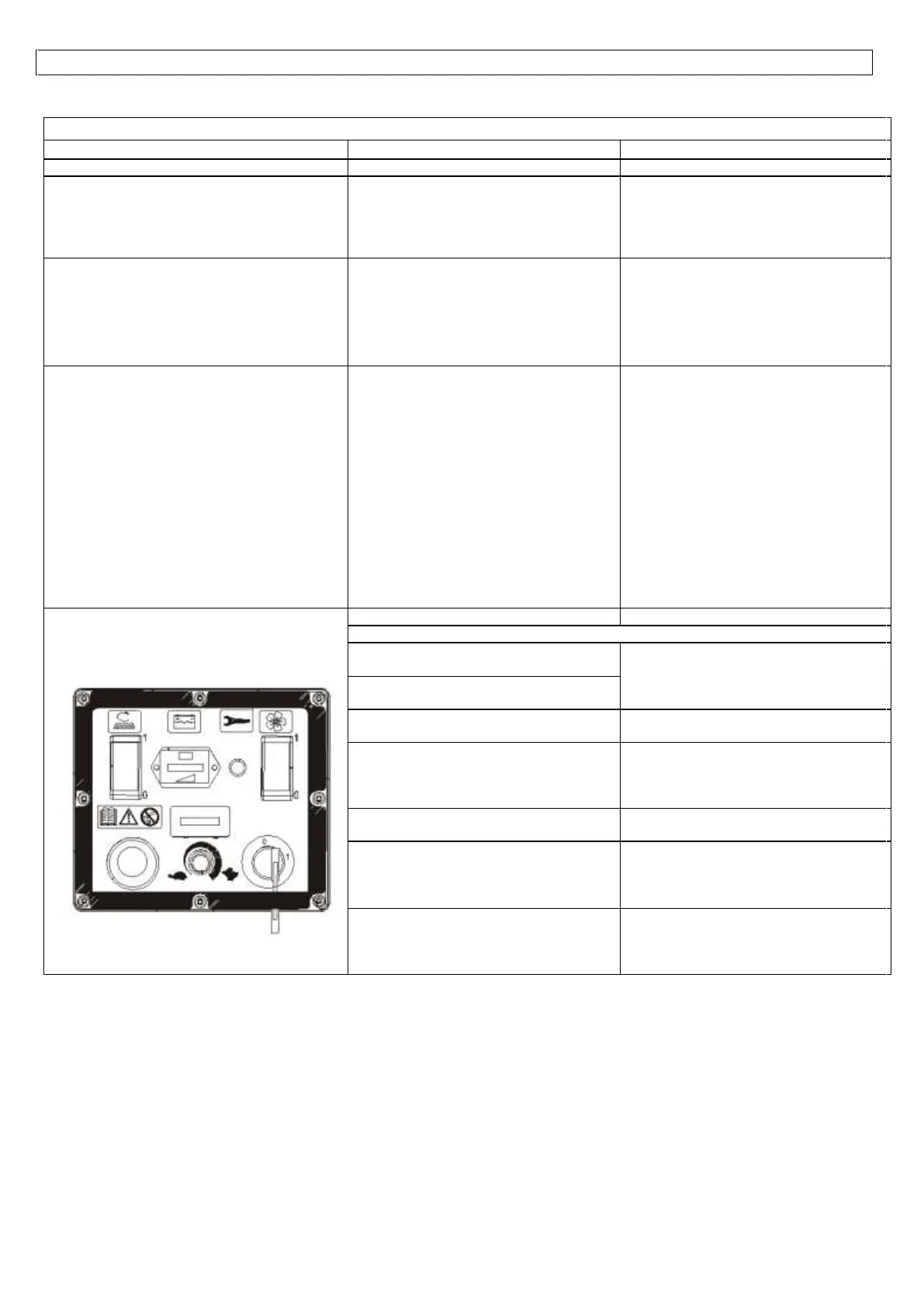
24. Diagnosis for led flashings
- SWITCHED OFF: NO ERRORS, NORMAL WORKING CONDITIONS
- 1 FLASHING: forward speed microswitch
engaged when starting up the machine
- Pull the drive control switch in O position
- Check that the switch is correctly placed into
O position
- Check the microswitch on the drive control
2 FLASHINGS: reverse speed microswitch
engaged when starting up the machine
- 3 FLASHINGS: the potentiometer signal is
off
Check the cables of the potentiometer
- 4 FLASHINGS: the potentiometer is not
working
- Pull the drive control switch in O position.
- Check that the switch is correctly placed into
O position
- Check the microswitch on the drive control
- 5 FLASHINGS: thermal protection
Wait for some minutes before starting and
checking the absorptions of the motor
- 6 FLASHINGS:
-The power fuse is faulty
- Faulty power component on the
starting card
- Replace the power fuse
- Replace the traction board
- 7 FLASHINGS: overcurrent
Cables from the battery to the traction board
or from traction board to the engine are loose,
oxidized or not properly connected.
Check the cables.


 To Next Page