28
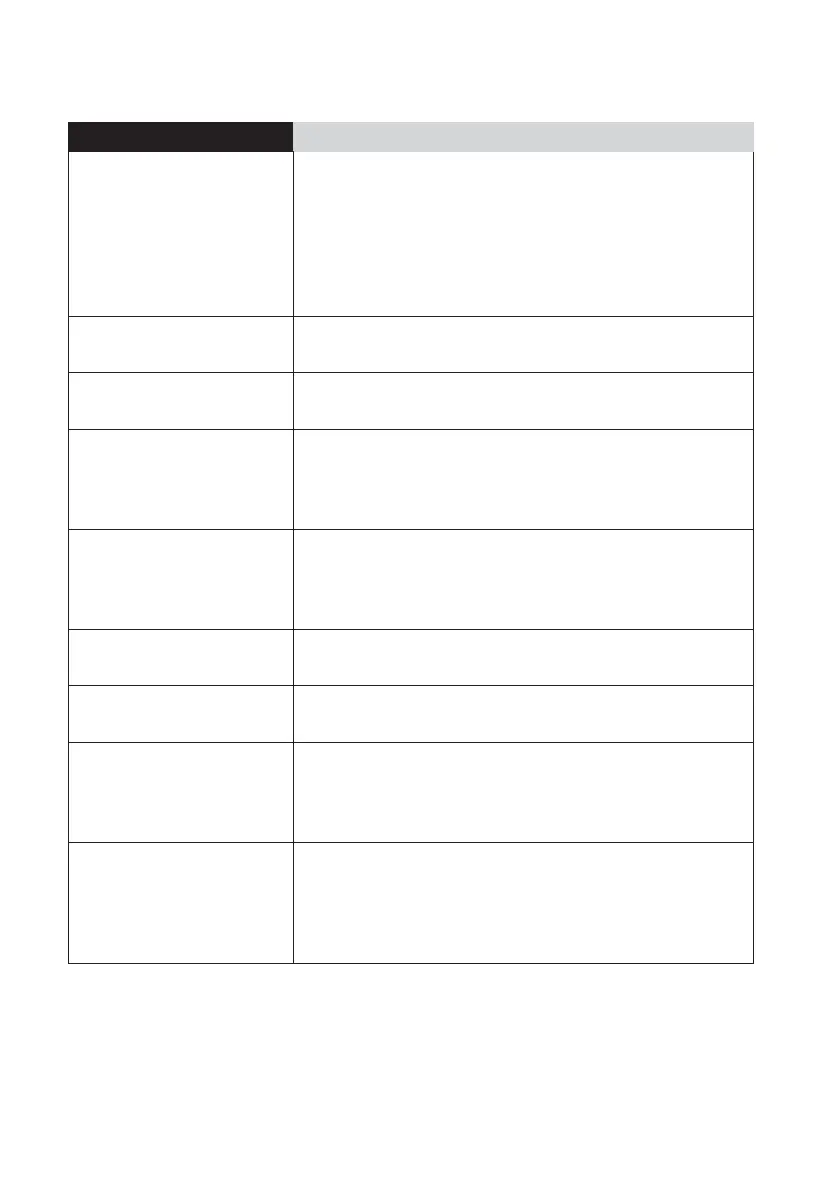
Fault description Treatment methods
Loud noise
– Wash filter and dry it before use, avoid
operating the machine in areas with water
accumulation
– Recommend cleaning the dust box and filter
regularly
– Choose a quiet suction force in the App
Slow app reactions
– Recommend authenticating with your mobile's
hotspot
Delayed device
reactions
– If the radar is blocked, clean up foreign matters
immediately
Device ID not found
– Long press the return-to-charge key to enter
the network pairing mode
(Observe whether the network indicator begins
to flash)
Failed software
updating by clicking in
the App
– Place the main unit in the charging dock to
ensure whether the unit is charging
– Recommend updating the software when your
home network is stable
Map cannot be
deleted
– Recommend deleting the map when your
home network is stable
Map unavailable
– Choose the map when your home network is
stable
No breakpoint resume
is performed after
the machine is fully
charged
– The breakpoint resume is a type of actions
done by the main unit itself, which cannot be
intervened by human beings
Unable to upgrade
FAQs
– Verify whether the main unit r esides in the
charging dock
– Observe whether the network indicat or is
always on, and v erify whether the main unit is
connected to internet






 To Next Page