Instruction Manual TN-100/ T-100
8
2.4 Restoring Factory Calibration
The TN-100/ T-100 turbidimeter allows you to reset the meter back to the factory
default calibration values. This feature is extremely useful when there are errors in
calibration or when you have new calibration standards.
1. With the meter switched off, press and hold ▲ key.
2. Switch on the meter using ON/OFF. Release ▲ key when “URST” (User-Reset)
appears in the display.
3. The display shows “URST” for about 2 seconds and then shows “No”.
4. Use ▲ or ▼ key to select between “YES” or “No”.
YES = To restore meter back to factory calibration values
No = To retain last calibrated values
5. Press READ/ENTER key to confirm your selection. The meter performs the
reset if “YES” is selected.
6. The display flashes “--Rd—“about 10 times indicating that the meter goes to
measurement mode.
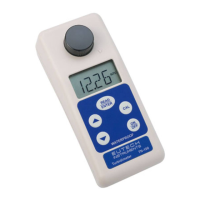
Figure 6 shows the sequence for restoring factory calibration values.



 To Next Page