16
3. Install charging cable
3.1
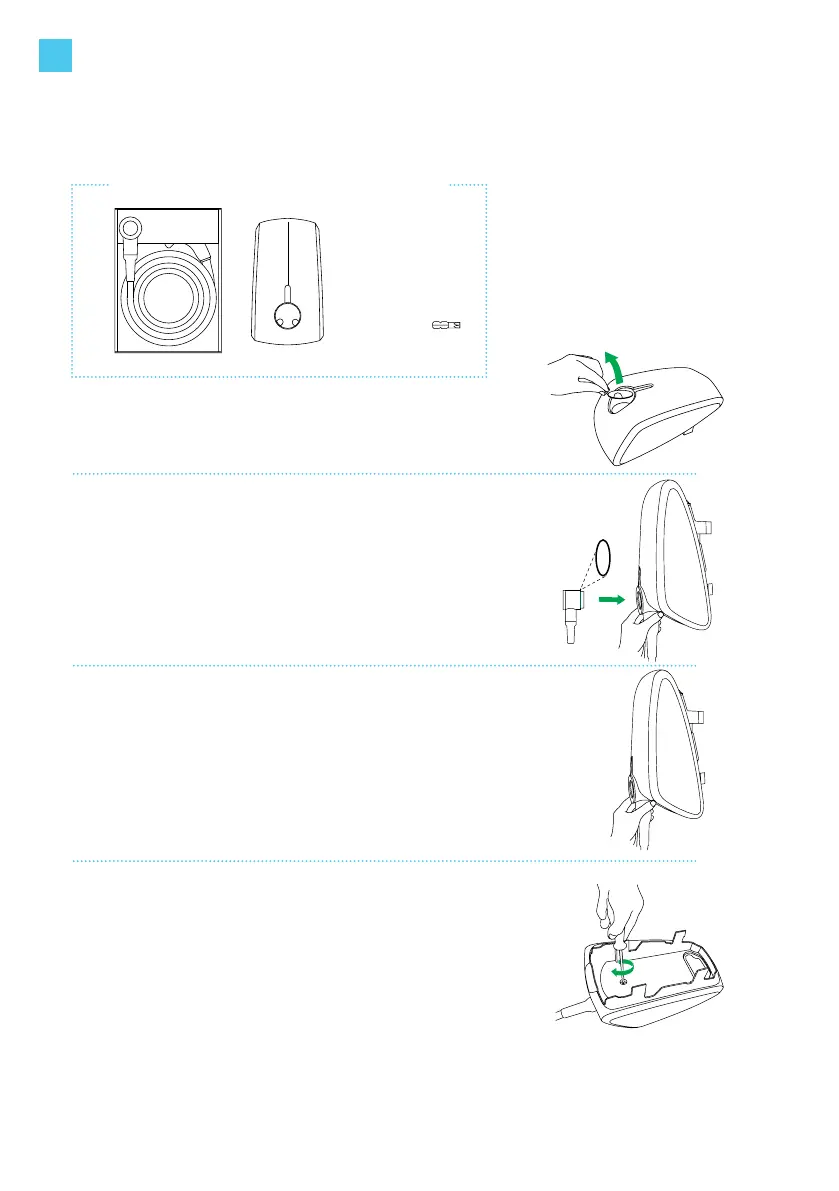
Unpack the charging cable box.
Remove the cardboard cover from the station’s socket.
3.2
Take the charging cable out of the box.
Check that the rubber sealing ring on the charging plug is
in place and not twisted. This is to ensure that the proper IP
code (protection class) is met.
Place the charging station on its side and then plug the
charging cable into the station.
Tools you need to install the charging cable
3.3
Make sure you press the charging cable until it is rmly
secured.
3.4
Turn the station around and put the front face of the station
on a soft surface. Place the bolt and rmly tighten the bolt
with the T30 bit.
Reconrm that the cable bolt is tightened properly.
Check again that the charging cable is rmly connected to
the station.
1x bit T30
EN



 To Next Page