7. Then Non destructive system recovery is finished. System will be
rebooting.
b. “Destructive Recovery from Hard Disk”
1.
How recovery is done: System files from RP are copied to system files
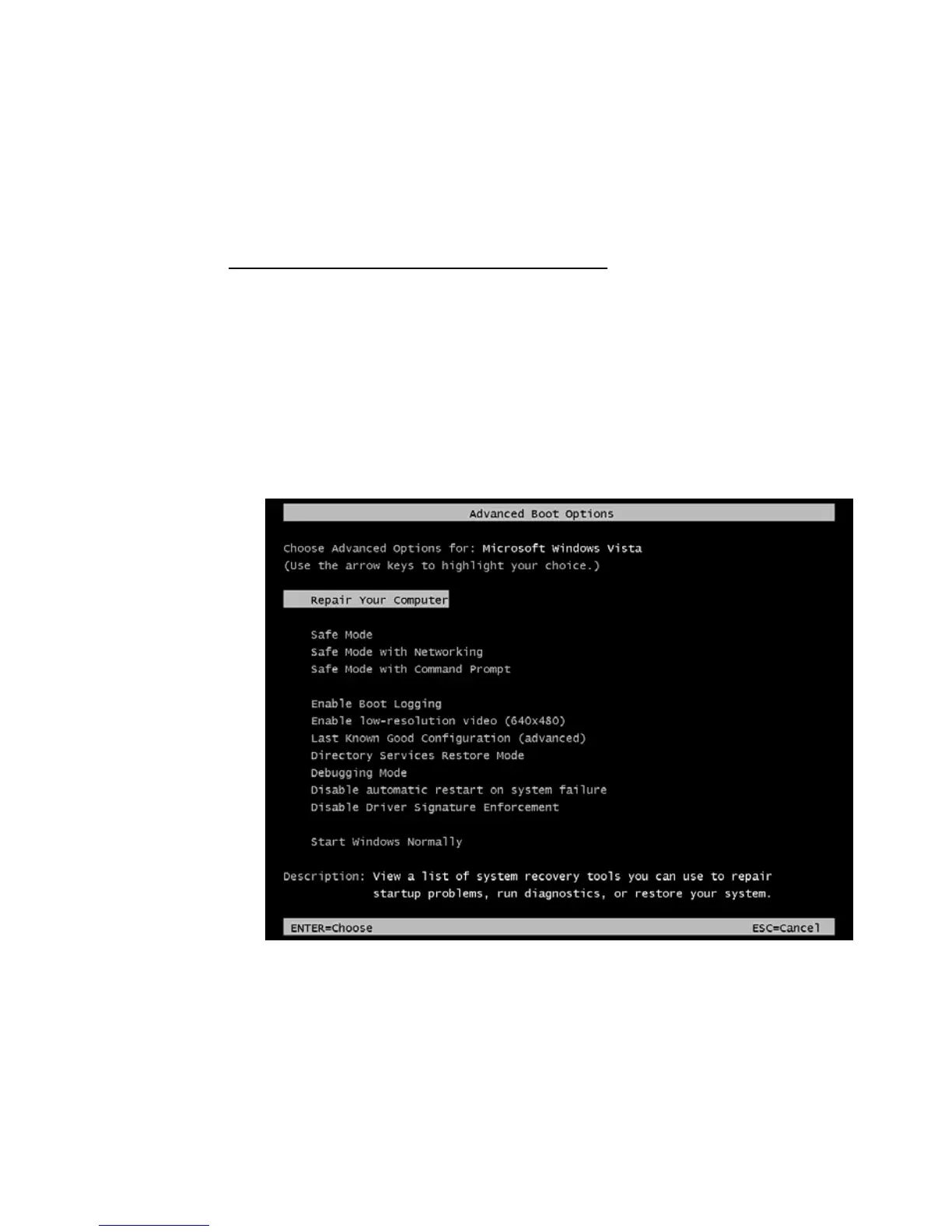
area in UP, and user data area is formatted! Before OS boots, please press
hotkeys F8 button to go into advance boot options.
2.
Please choose Repair Your Computer to go into recovery mode.


 To Next Page