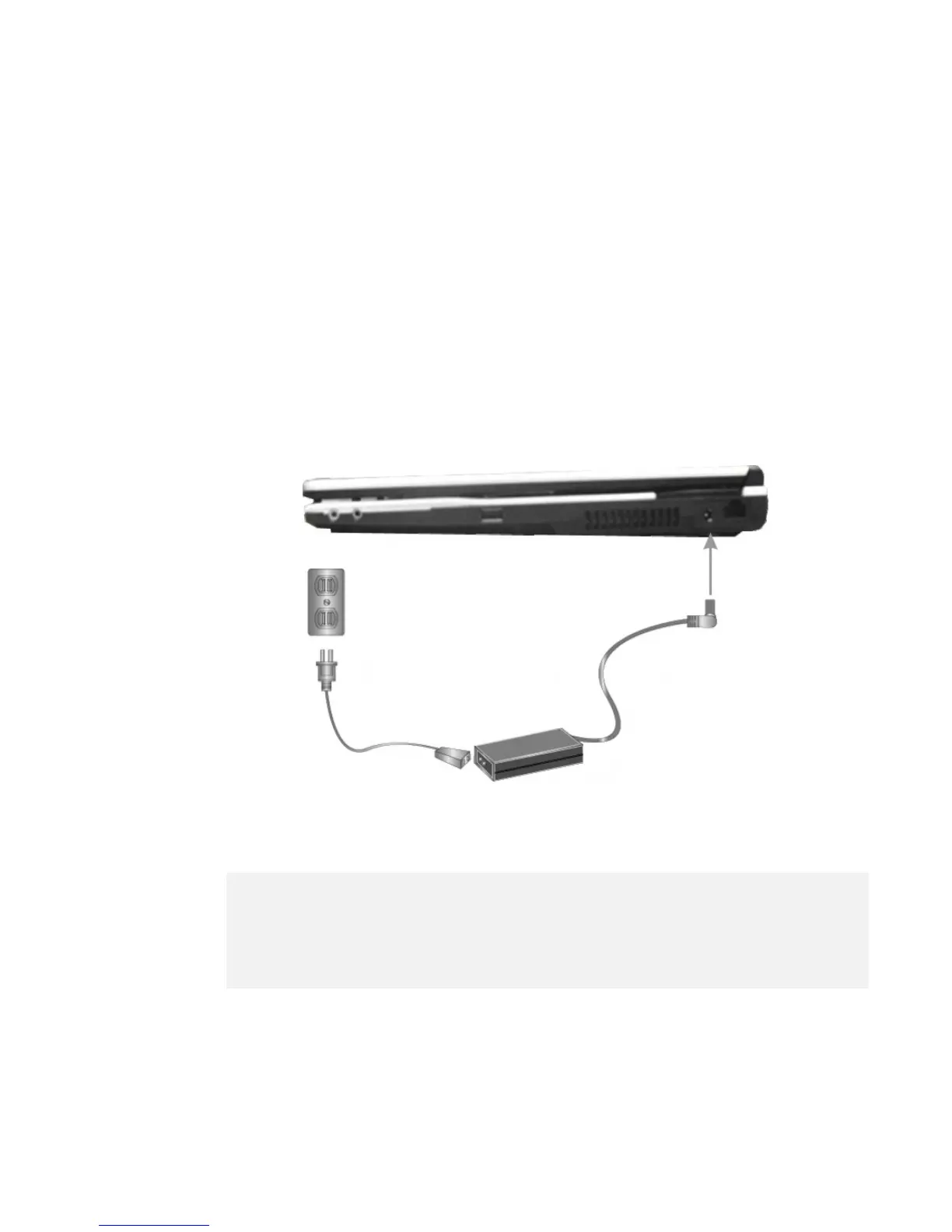
2.2 Connecting the AC Power Source
The AC adapter provides external power source to your computer and charges
the internal battery pack at the same time. The AC adapter also has an auto-
switching design that can connect to any 100VAC ~ 240VAC power outlets.
To connect the power adapter:
1.
Plug the AC power cord into the power socket of the AC power adapter.
2.
Plug the other end of the AC power cord to a live AC wall outlet.
3.
Plug the connector of the AC adapter to the DC-IN port found at the left
side of the computer.
+
Whenever possible, it is advisable to always have the AC adapter connected
to the notebook and the battery pack installed. This ensures continuous
power supply and prevents any data loss incurring from sudden power
breakdown.


 To Next Page