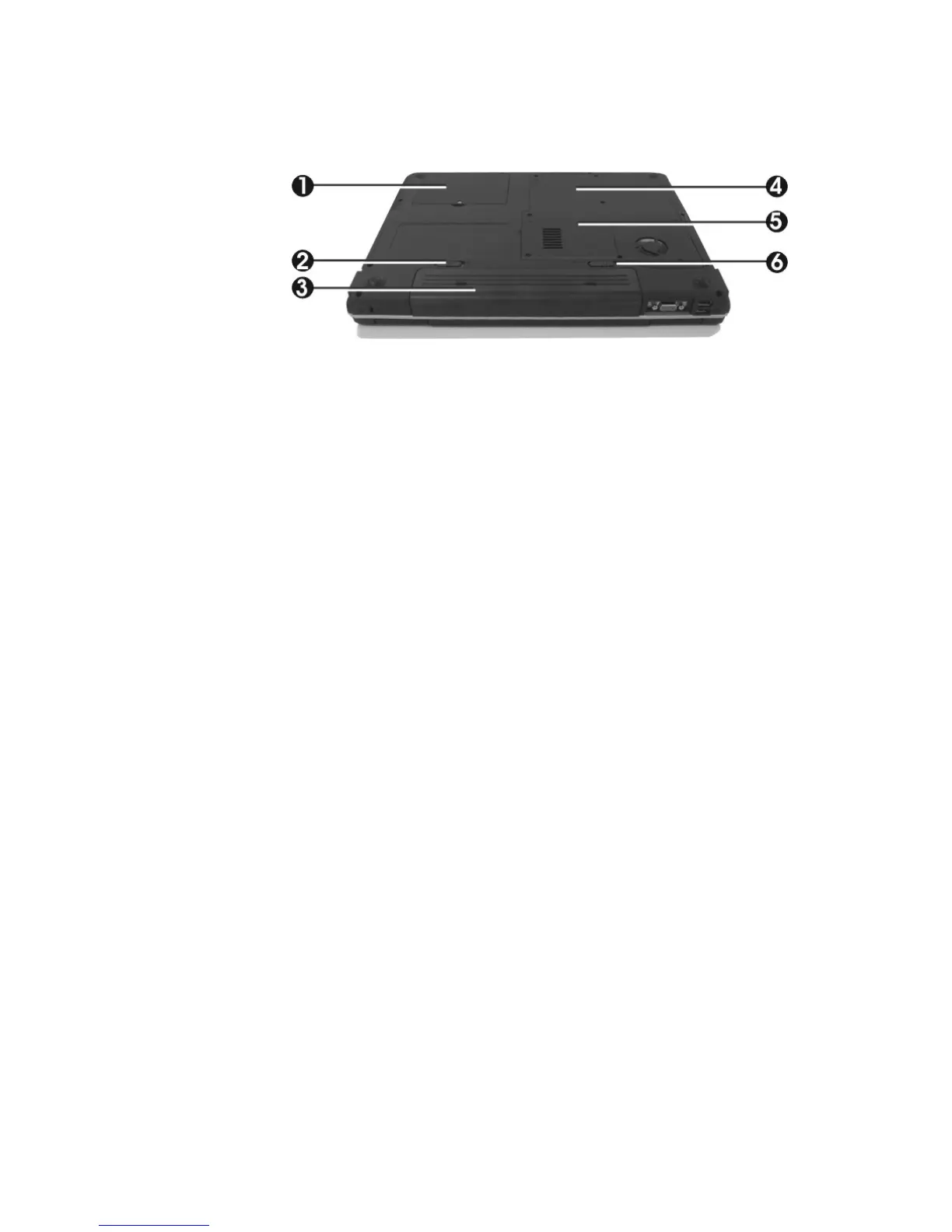
1. Hard Disk Compartment 2. Battery Lock Latch
3. Battery Bay 4. Wireless LAN Compartment
5. Memory Compartment 6. Battery Release Latch
Bottom of the System
•
Hard Disk Compartment
Open this cover of this compartment to replace with other Hard Disk
Drive. Please refer to Chapter 7 for how to replace it.
•
Battery Lock Latch
Push the latch to the right side to lock and secure the battery. This action
is available to release the battery when the battery lock latch has located to
unlock status at the left side.
•
Battery Bay
Equipped with a Lithium-Ion (Li-Ion) battery pack.
•
Wireless LAN Compartment
This compartment is for installing Wireless LAN module to enable the
Wireless LAN function.
•
Memory Compartment
There are two SO-DIMM memory slots in the bottom side.


 To Next Page