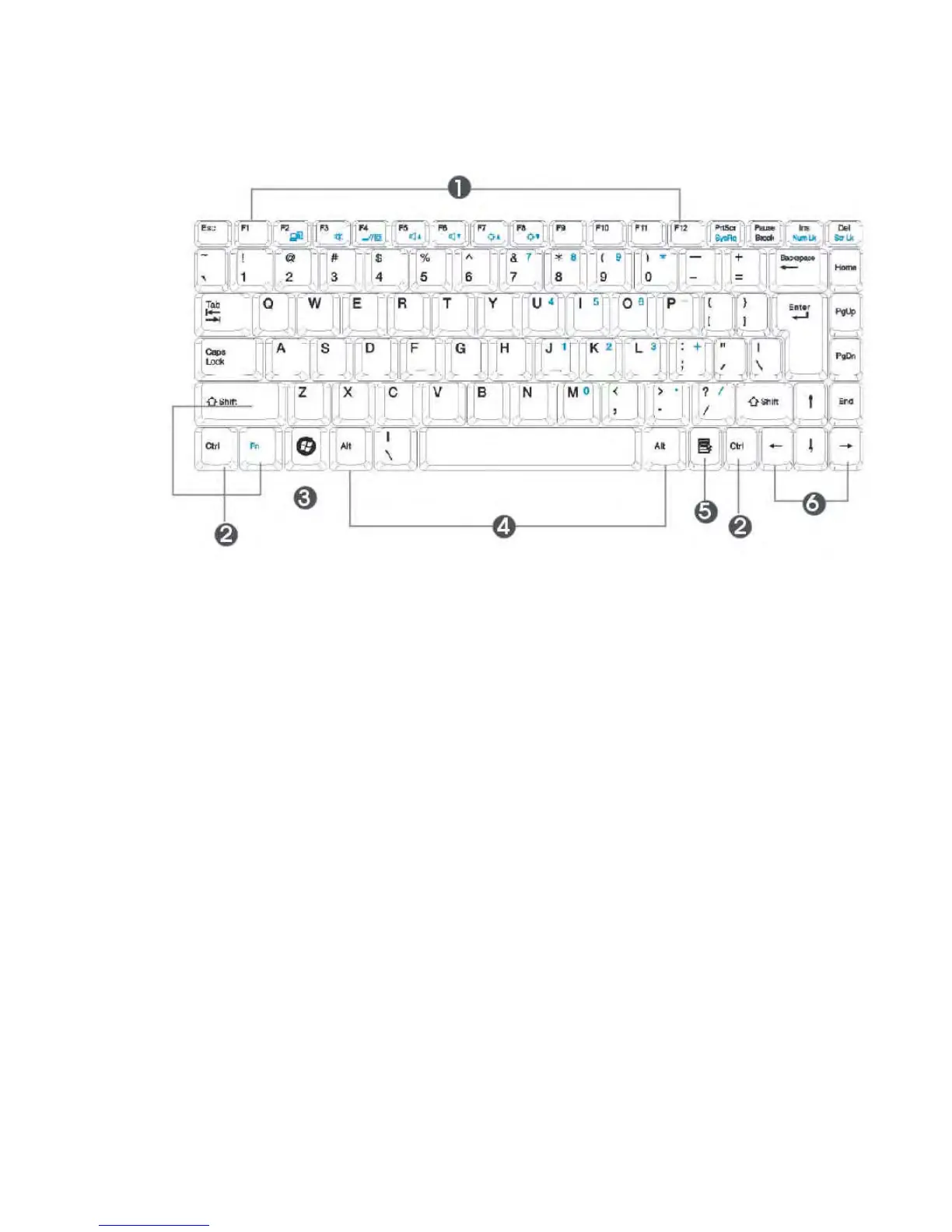
1. Function Keys 2. Control Keys
3. Windows Start Menu Key 4. Control Keys
5. Windows Shortcut Key 6. Cursor Control Keys
Keyboard
Key features and operations are described below:
•
Function Keys
Function keys are application-driven, like F1 through F12 can be found on
the keyboard. These keys work together with the Fn key to activate special
functions. Some keys (printed in blue on keypad) are preprogrammed with
dual functions.
•
Control keys — Ctrl, Alt, Fn, and Shift are controls used in conjunction
with other keys to change their functions. To use control keys, press and
hold the control key while pressing another key. For example, "Press Ctrl-
C" means to hold down the Ctrl key and type the letter C. Key
combinations work especially to the application you are running.



 To Next Page