EAN900
22
4.4.1 Multi Streaming
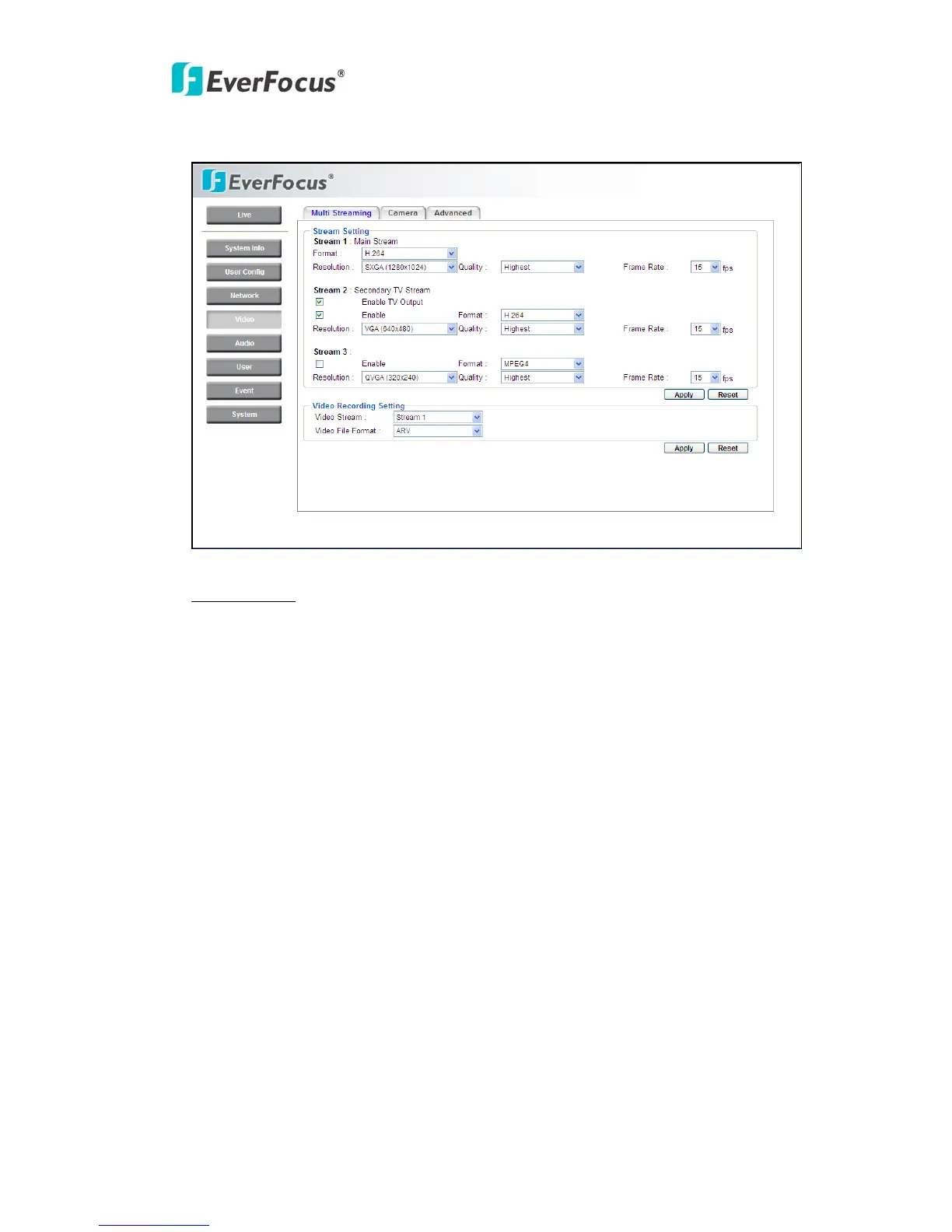
Stream Setting
The system can output 3 video streams simultaneously. For each of them, user can
set compression format, resolution, quality and frame rate individually. Stream 1 is
main steam for live view. Stream 2 is secondary TV stream for TV output. Stream
3 is used for small size view display.
Check “Enable” box to enable other streams for the different applications.
Format: Select encode format from H.264, MPEG4 and MJPEG.
Resolution:
Stream 1 - SXGA (1280*1024) / SWXGA (1280*960) / 720P (1280*720) / VGA
(640*480) / QVGA (320*240).
Stream 2 - VGA (640*480); Check “Enable TV Output” to enable analog TV
output for monitor.
Stream 3 - QVGA (320*240) / QCIF (176*120) / SQVGA (160x128) / SQCIF
(128x96).
Quality: there are 8 types of quality, please choose from Highest / Higher / High /
Middle / Normal / Low / Lower / Lowest.



 To Next Page