EAN900
38
Press Apply to apply the setting changes or Reset to reset without saving the
change.
4.8.3 SD Card
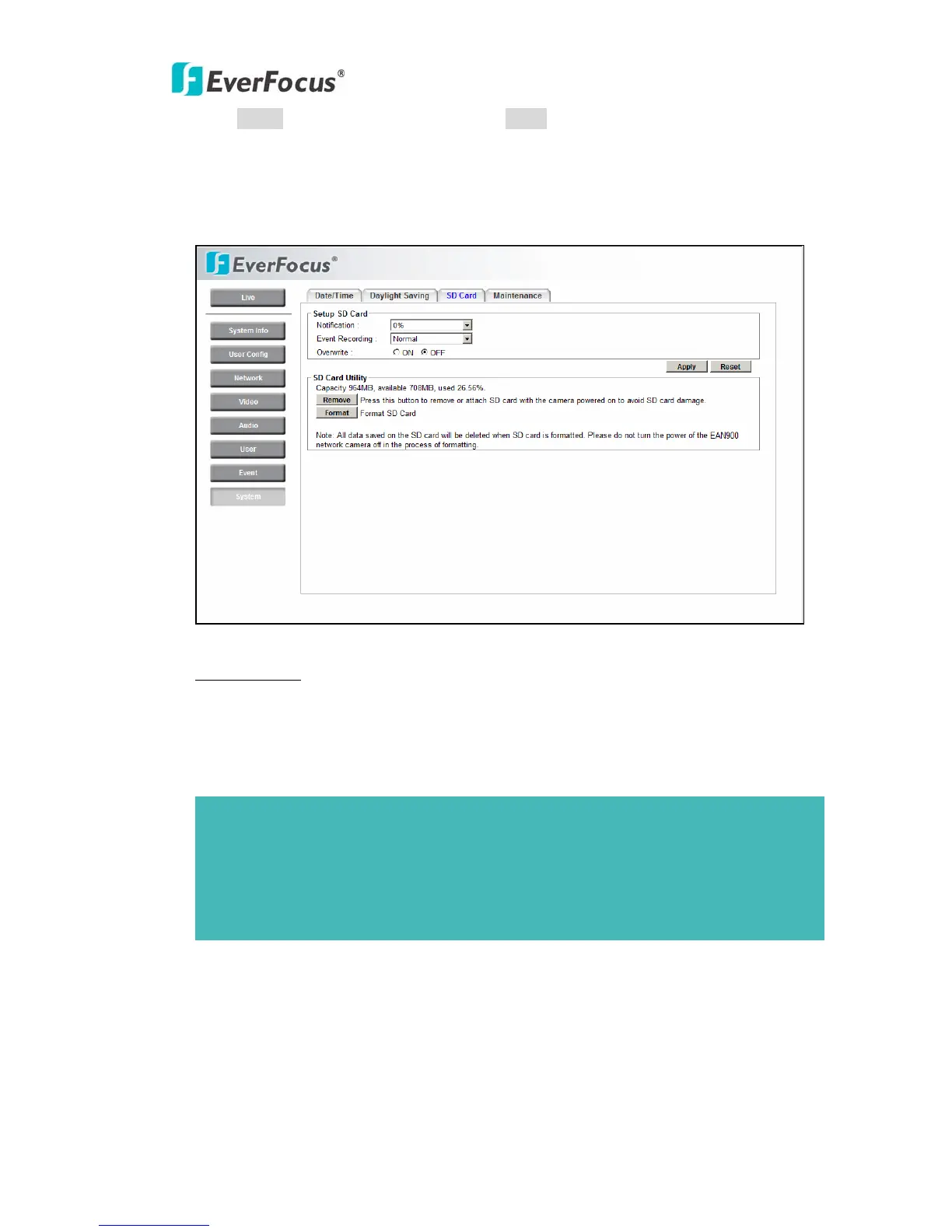
Setup SD Card
Notification: Notification will be made via e-mail when the remaining space of the
SD memory card reached the value selected from the following.
50%, 20%, 10%, 5%, 2%, 0%
Event Recording:
-FTP backup only: Event video will record to SD card when network is
disconnected.
-Normal: Follow the event actions settings you have made in “Event” menu to
record event video to SD card.
Overwrite: Select ON for overwriting data when SD card memory is full. Select
Note:
1. When "50%" is selected, e-mail notification will be made each time the remaining
space reaches 50%, 20%, 10%, 5%, 2% and 0%.
2. E-mail notification may not always be made at a very moment when the remaining
space of the SD memory card reached the selected value.



 To Next Page