EAN900
7
camera video. Please click "Yes".
Step 6. Congratulation!! You should be able to see the live image now.
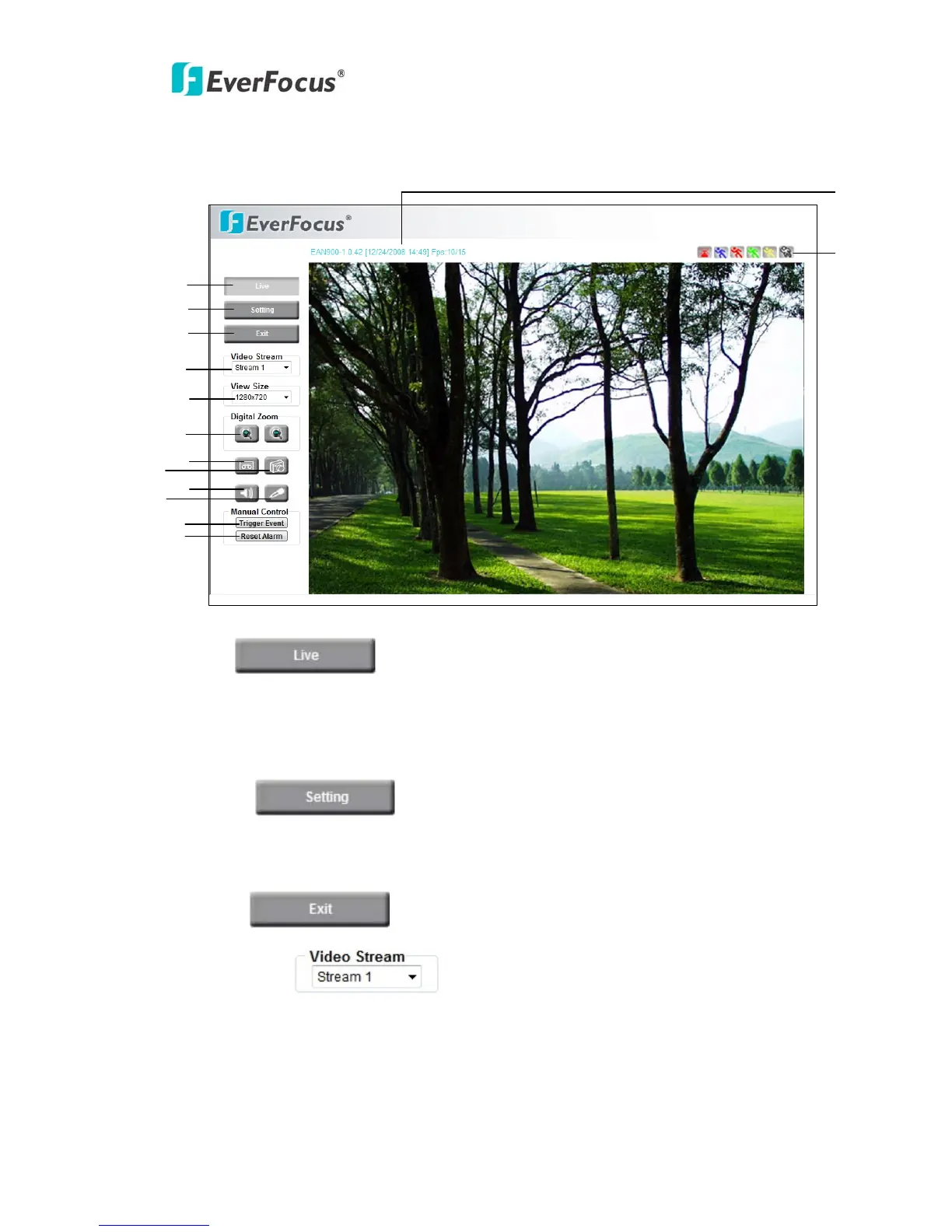
1. Press button to display the "Live" page.
Double click on the image to show a full screen display, double click again or press
ESC to return normal display.
2. Press button to enter Setting page. In Setting page, there
are 8 sections: [System Info], [User Config], [Network], [Video], [Audio], [User],
[Event] and [System]. Please refer to “4. SETTING” for further information.
3. Press button to close EAN900 network page.
4. Video Stream
Select Video Stream from Stream 1, Stream 2 and Stream 3. Please refer to “4.4.1
Multi Streaming” for further information.
1
2
3
4
5
6
7
8
9
11
12
10
13
14



 To Next Page