EHN3261/3361
26
6.2.2 Testing the Playback Function
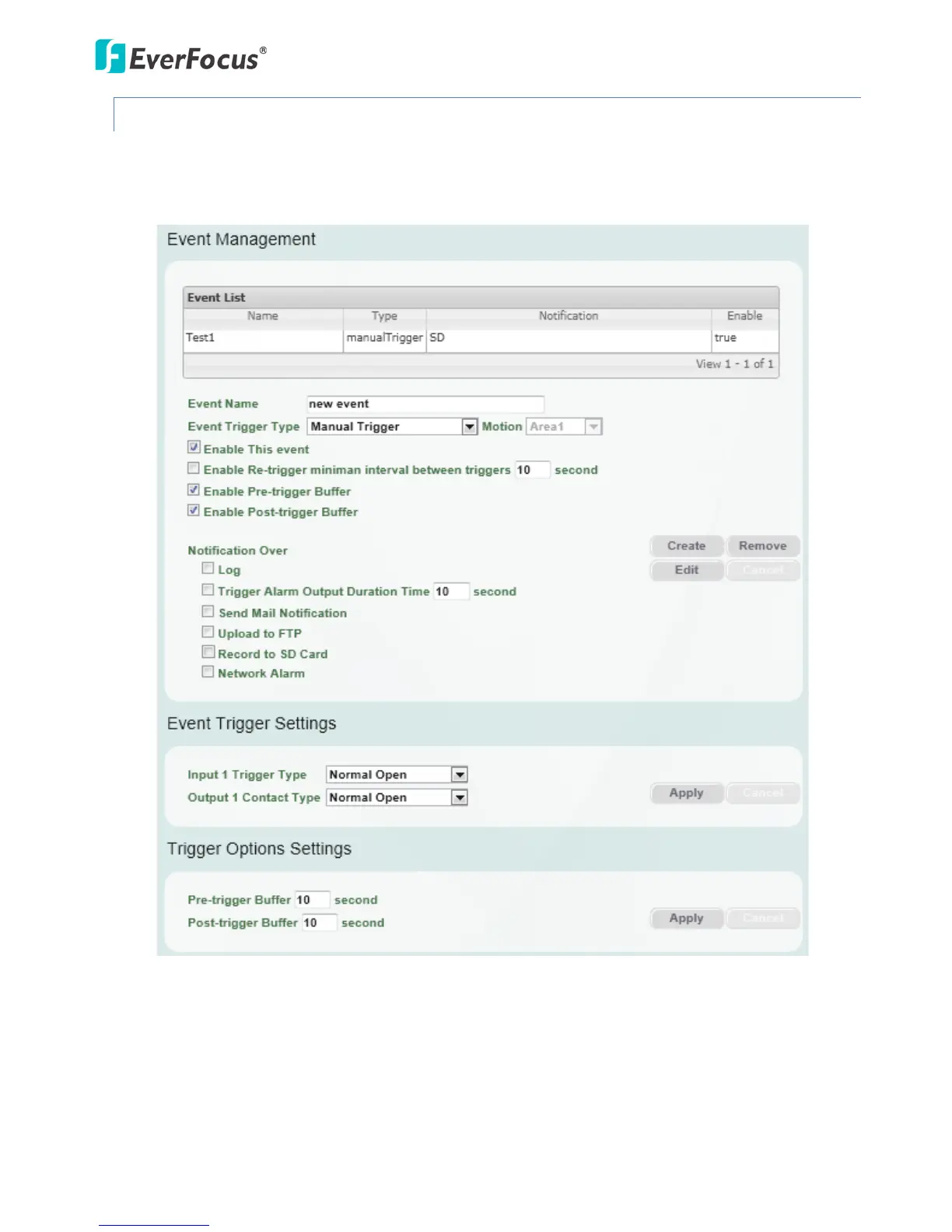
1. To test the Playback function (this is not required), set up a “Manual Trigger” Recording Event by
clicking Event Settings > Event.
2. Give the event a name, like “Test 1”.
3. In the “Event Triggered Type” field, click on Manual Trigger.
4. Below this, check “Enable This Event”, “Enable Post-trigger Buffer”, and “Record to SD Card”.
5. To save your settings, click the Create button, and the Event will be listed in the Event List.
6. Look at the “Post-trigger Buffer” at the bottom to make sure the buffer time is set to 10 seconds.
Click the Apply button.



 To Next Page