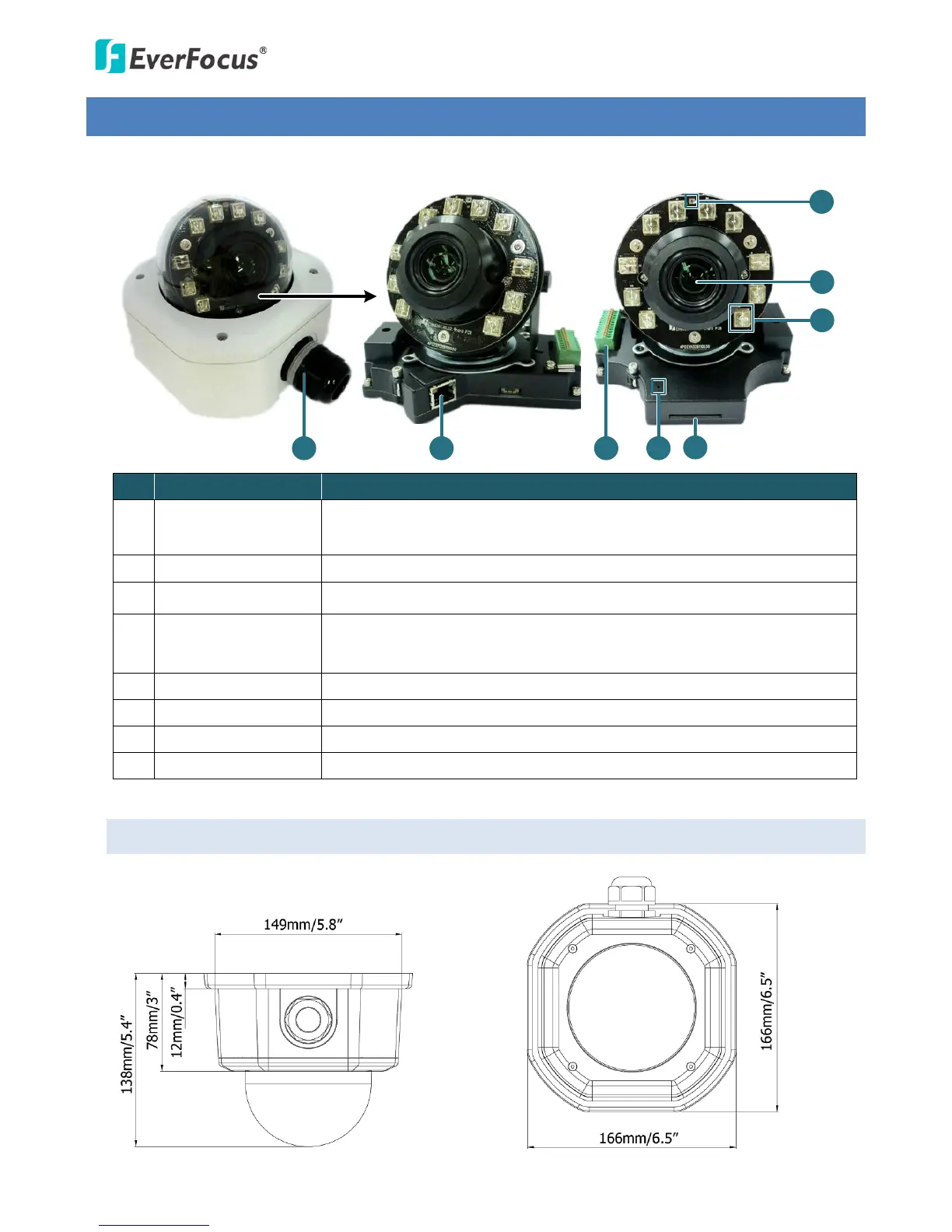
No. Item Name Descriptions
1 Cable Gland
Equipped with three plugs inserted in the cable conduits for
waterproofing.
2 LAN / PoE Connects to a 10/100 Ethernet or PoE.
3 Terminal Block A 12-pin terminal block. See 4.3 Terminal Block.
4 Reset Button
Resets all configurations to the factory default settings. Press and hold
the Reset Button for 10 seconds by using a pen or a paper click.
5 SD / SDHC Slot Insert an SD / SDHC card (see Appendix for tested card brands).
6 IR LEDs 10 IR LEDs for infrared illumination in night vision applications.
7 Lens 10x optical zoom, auto focus, DC Iris, F1.8-360C.
8 Light Sensor Detects lights.
2.1 Dimensions



 To Next Page