EHN3261/3361
67
8. Upgrading Firmware Using IP Utility
You can upgrade the Firmware using the IP Utility software included in the software CD.
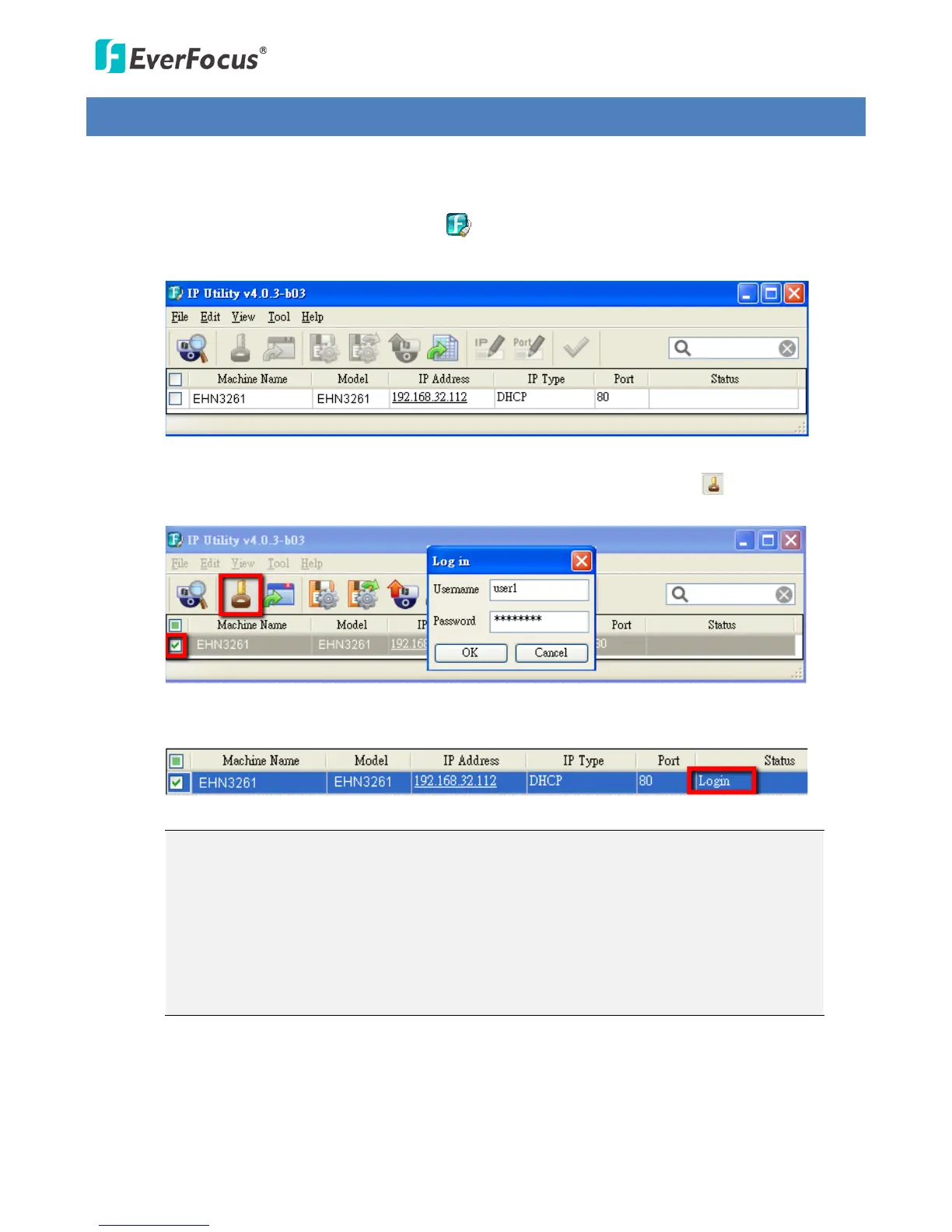
1. Install and then start the IPU program , the following IPU window appears. The IPU will
automatically search the IP devices connected in the LAN.
2. Log in the camera by checking the desired model and then click the Log in icon. The Log in
dialog box appears.
3. Type the Username and Password. Click the OK button, the Login status displays.
Note:
1. The default user ID is user1 and the default password is 11111111.
2. If you select more than one camera that has the same user ID / password, you will be
able to log in several cameras at once.
3. Up to 10 cameras can be simultaneously upgraded to the latest firmware. If you
connect the cameras to a PoE switch, please make sure the Power Consumption of
the PoE switch is sufficient.



 To Next Page