CUSTOMER SERVICE 1-888-707-1880 Maurice Pincoffs Canada©2010
7
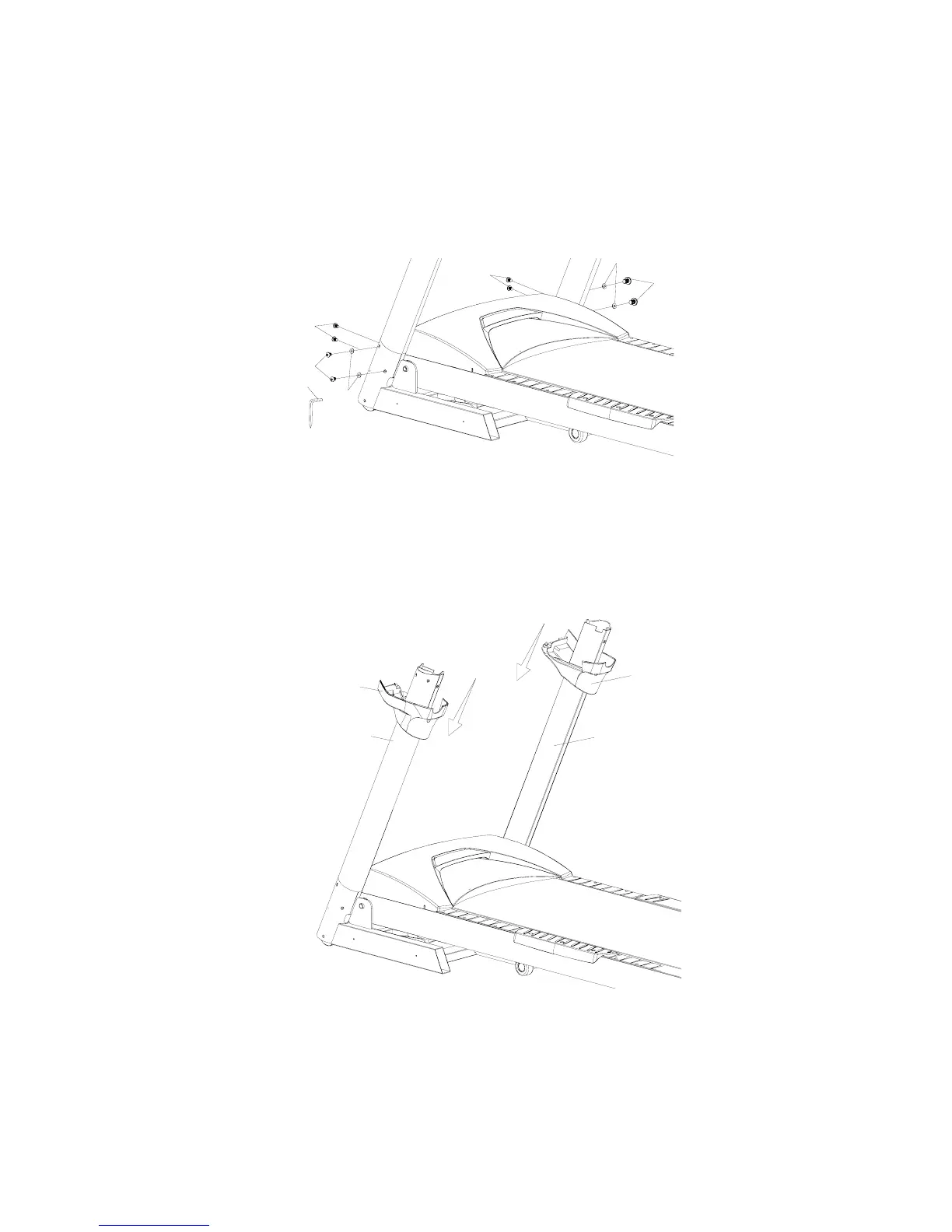
Step 3
Secure the right and left Upright (4,5) into the Frame Base with the 8pcs of 5/16”x15m/m Button
Head Socket Bolts (94) and 4 pcs of 5/16" x 19 x 1.5T Curved Washers (95). Be careful not to
pinch the computer cable when installing the Right Upright.
97
95
94
94
94
94
95
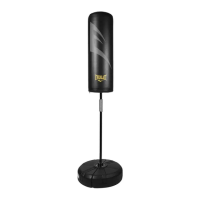
Step 4.
Install the Left Upright Cover (41) onto the Left Upright (4) and the Right Upright Cover (40)
onto the Right Upright (5). Ensure that the covers are facing the correct direction and allow them
to slide down and sit at the bottom of the uprights.
41
4
40
5


 To Next Page