3. Software
This chapter describes the machine software at a glance.
The display of products and buttons depends on the settings.
Illustrations show software V3.17.
Illustrations show monochrome style.
3.1. Using the touch screen
The machine software is operated with a touch screen.
• Press to click.
• Press top (to open the top layer).
• Press and hold to open login or e.g. start automatic cleaning.
• Slide to adjust settings.
Only use your ngers to select a product/press the touch screen.
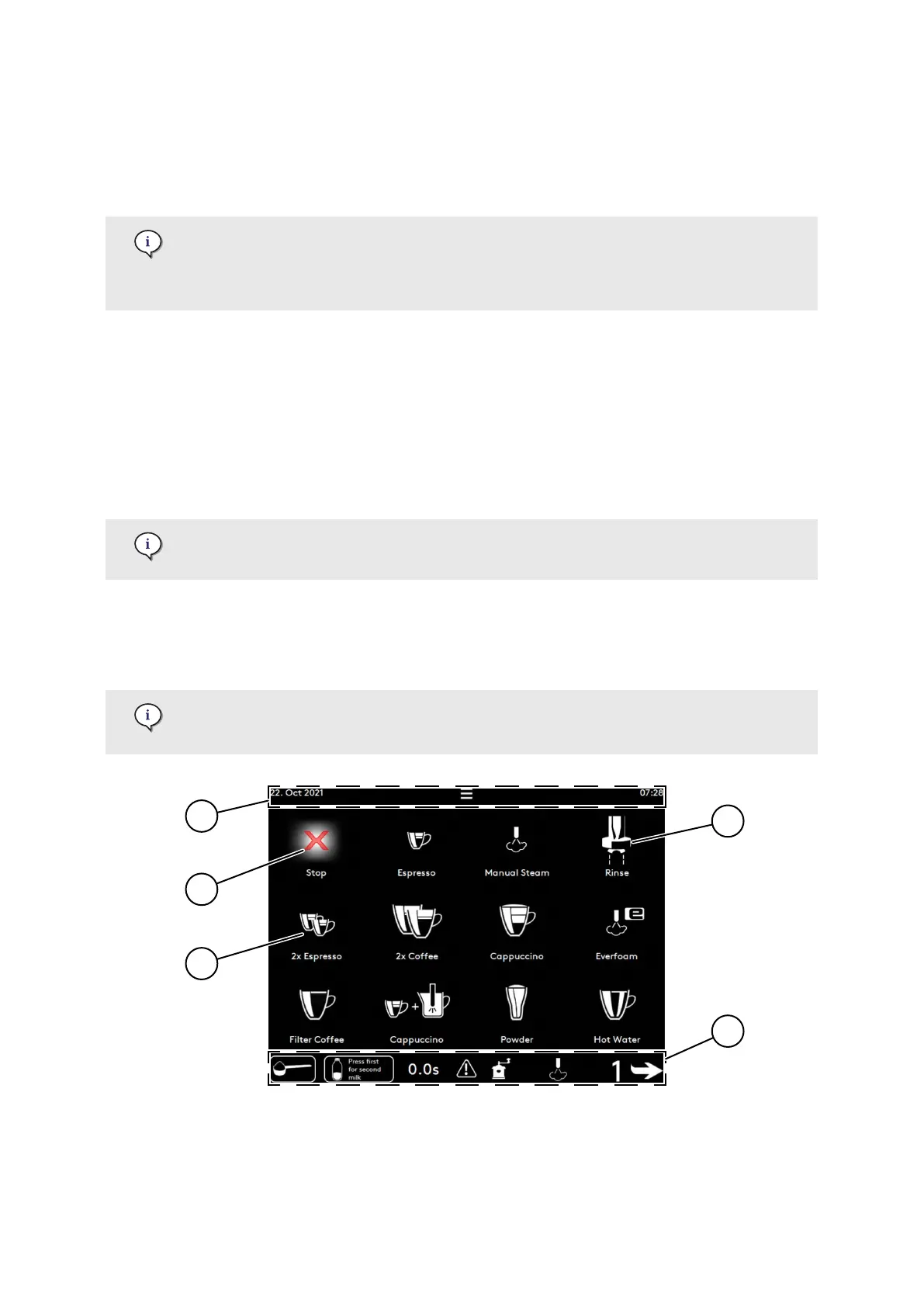
3.2. Main screen
The main screen oers access to most of the software functions and coee products.
A blinking button indicates that the user needs to perform an action.
The main screen may also display 15 buttons.
Software
© Eversys S.A. Page 36 of 150 02.01.2023









 To Next Page