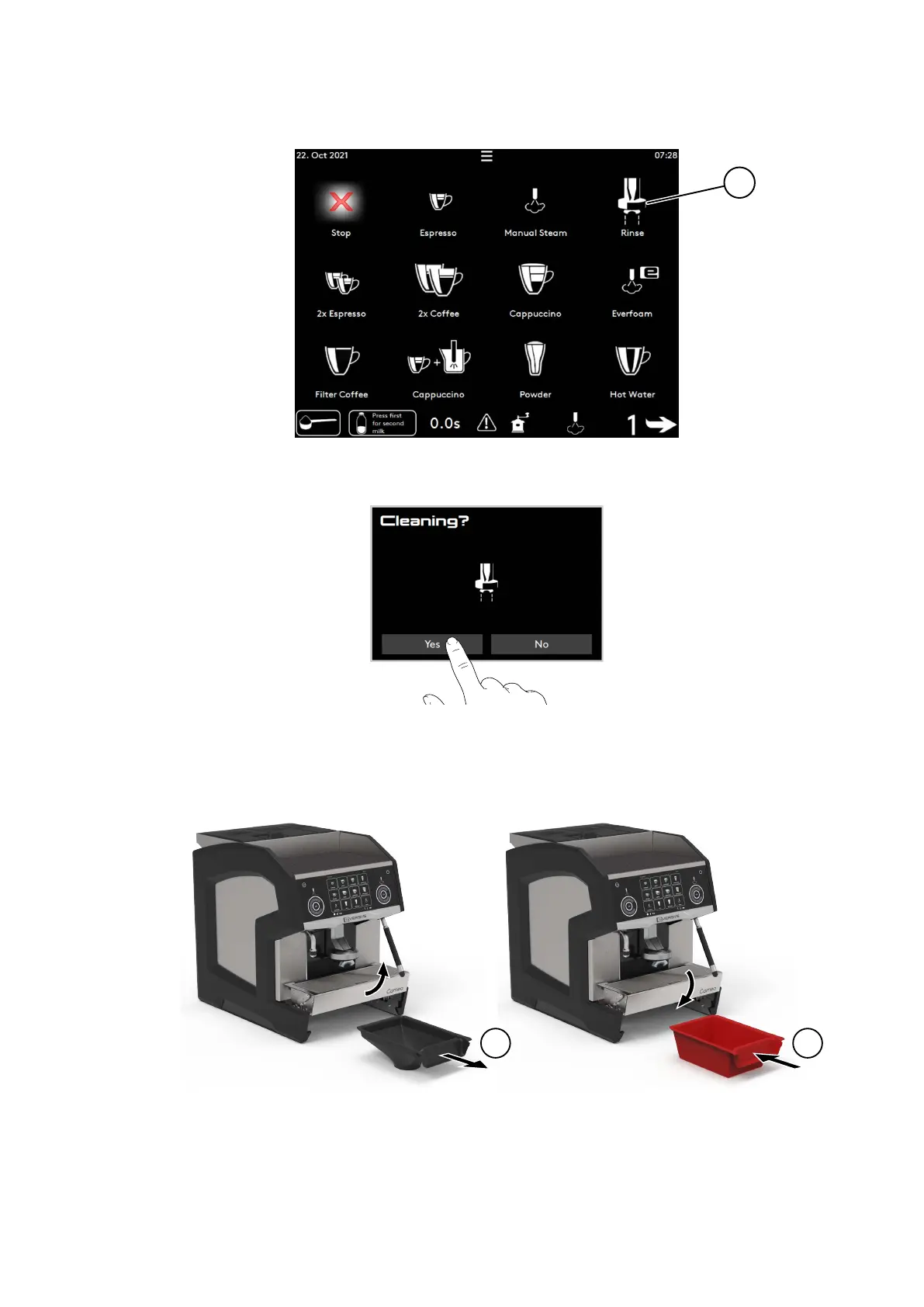
1. Press and hold the rinse (1) button for 3 s to run automatic cleaning.
2. Press Yes (or No to cancel).
3. Empty and clean the grounds drawer (page 54).
4. If using the undercounter ground coee disposal (machine option)
• Remove the black drawer (2) and clean it with soft soap. Rinse, dry and store it for later use.
• Install the red drawer (3) for the cleaning procedure.
5. Press Continue.
6. If milk system detected (machine model)
• Remove the milk tank (4) and store it in a fridge during the cleaning process.
Care
© Eversys S.A. Page 74 of 150 02.01.2023









 To Next Page