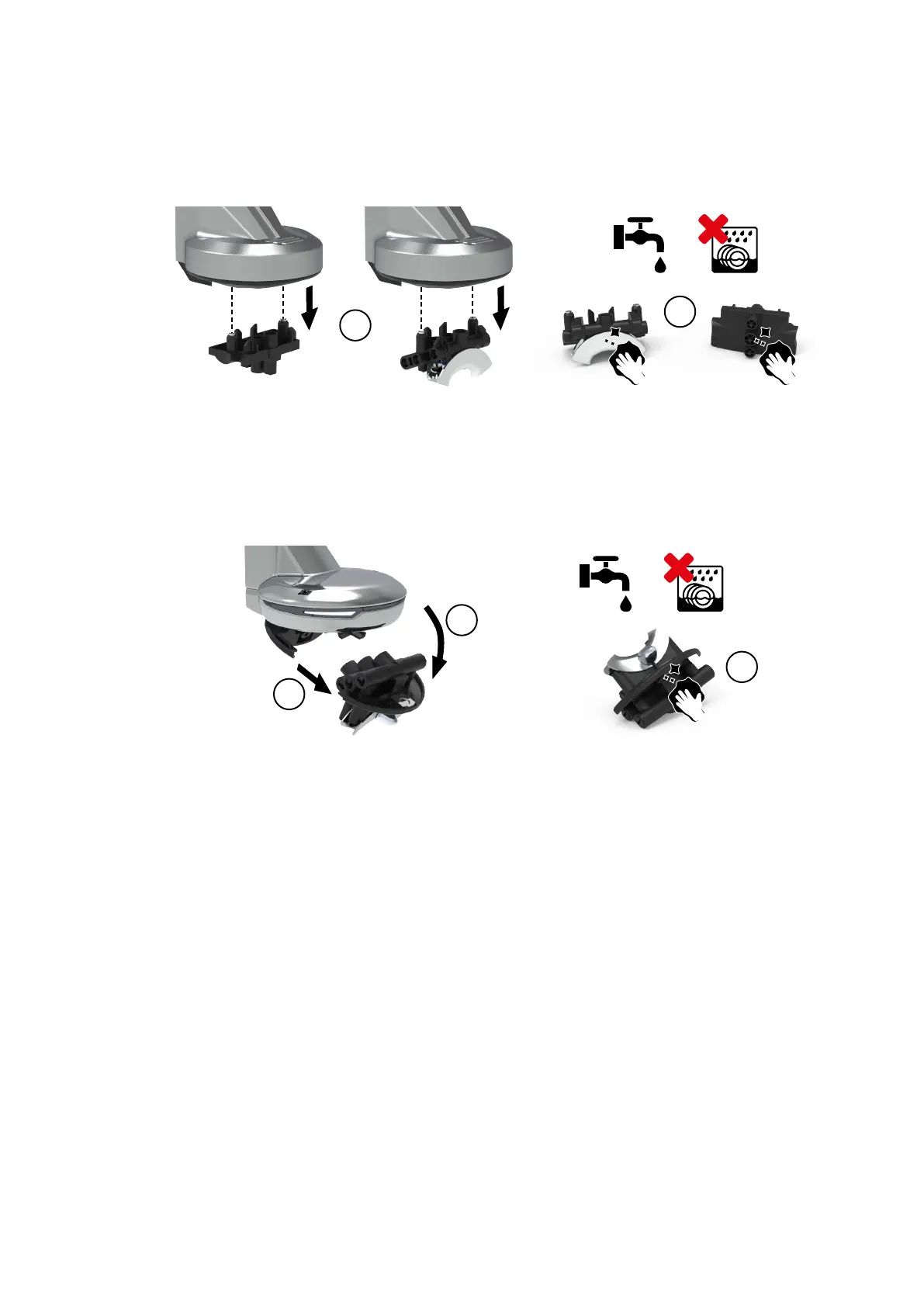
1. Switch o (page 55) at the main power switch.
2. Gently pull down (1) to remove the coee outlet.
3. Clean with soft soap under clean water (2).
4. Gently reassemble in the reverse order.
1. Switch o (page 55) at the main power switch.
2. Slightly tilt the coee outlet (1) and gently pull (2) to remove it.
3. Clean with soft soap under clean water (2).
4. Gently reassemble in the reverse order.
Care
© Eversys S.A. Page 82 of 150 02.01.2023









 To Next Page