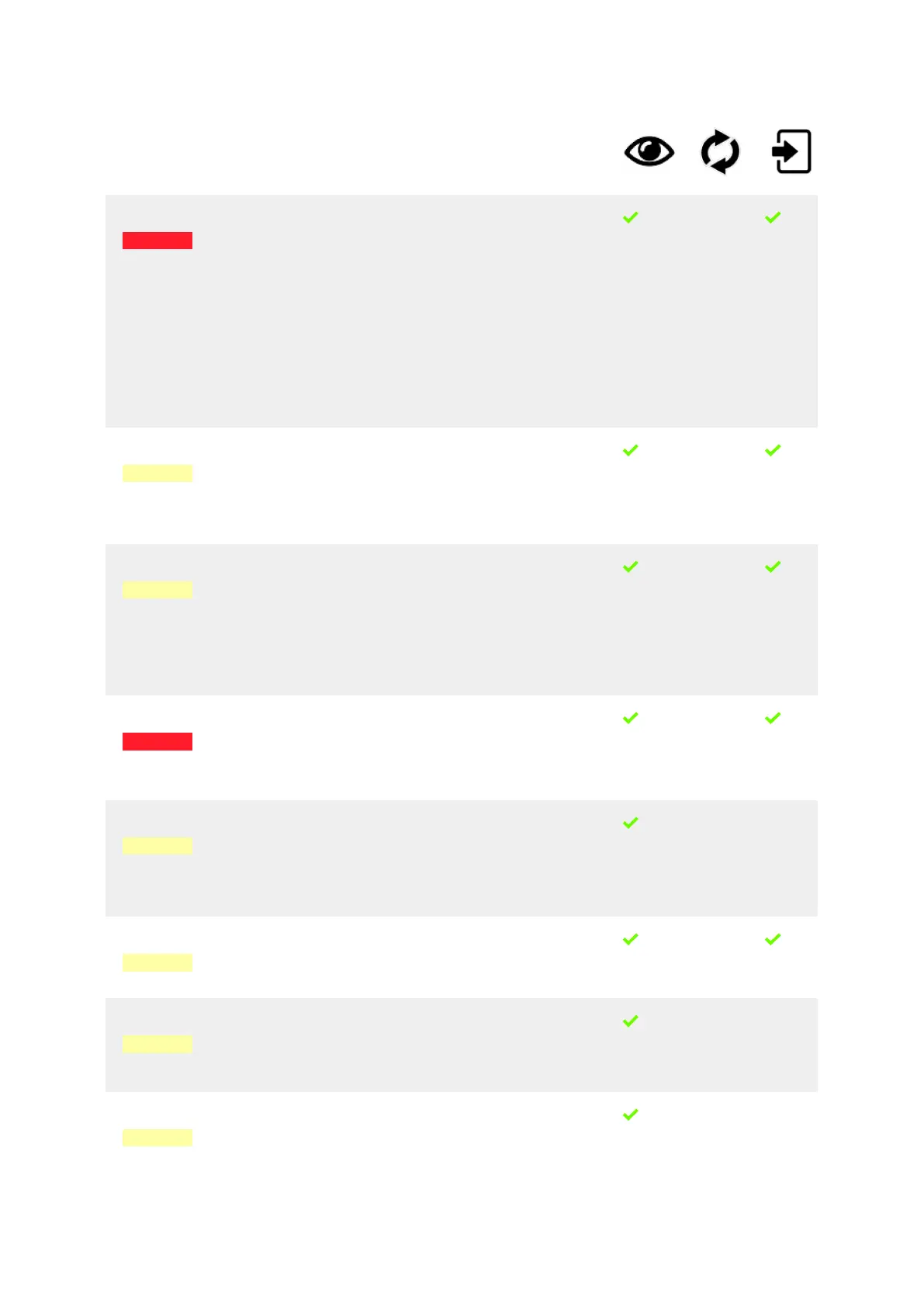
Number Module /
Unit
Info Message Explanations / Remedies
S-016 Cleaning
balls
dispenser
The coee
machine has
been cleaned
without
cleaning balls.
• Cleaning ball
dispenser
empty?
• Blocked or
broken
cleaning
balls?
Machine blocked!
Contact service organisation.
This stop message can only
occur if you have set
the parameter If cleaned
without detergent to Block
after 4 days.
The coee machine is blocked
now until the next cleaning
with cleaning balls!
-
S-017 Display /
Touch
screen
Cleaning
necessary.
Please press
Continue to
start the
cleaning.
Press and hold the rinse key
for ve seconds to start the
cleaning.
-
S-018 Display /
Touch
screen
The last
cleaning hasn't
been nished
correctly.
Please press
Continue to
start the
cleaning.
Cleaning cycle has been
interrupted.
Please start a new cleaning
procedure.
-
S-020 Brewing
module
Brewing unit
failure.
The brewing unit
is blocked.
Switch the machine OFF, wait
10 sec. and turn it back ON.
If it doesn’t work, machine is
blocked!
Contact service organisation.
-
S-021 Grounds
drawer
Grounds bin is
full.
Please empty
the grounds bin
and press
Continue.
Empty the optional grounds
bin and press the button.
- -
S-022 Grinder
module
Coee quantity
too high (last
product).
Too much powder coee was
used. Use less coee next
time.
Contact service organisation.
-
S-023 Display /
Touch
screen
Cleaning
required. Please
wait until all
boilers are
ready.
No action necessary. - -
S-024 Milk
module
Clean the milk
tubes with a
damp cloth.
Remove and
clean the milk
Clean the milk tubes with a
damp cloth.
Remove and clean the milk
cleaning container.
- -
Troubleshooting
02.01.2023 Page 99 of 150 © Eversys S.A.









 To Next Page