HARDWARE
EVO SP8 can lower the signal level by 8 decibels and boost it by up to 50
decibels allowing you to get the perfect recording level, this is known as the
Gain.
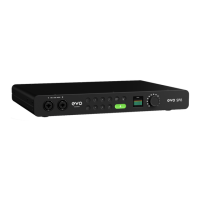
You can manually control the gain by pressing one of the Input Buttons,
numbered 1-8, and then adjusting the Control Wheel. The screen will then
show the current gain level in decibels.
When pressing any Input Button on EVO SP8’s front panel, the input screen
will show the Input Status Screen.
When pressing an Input Button, the status screen will display: the input
number, the gain setting in dB, and an independent channel meter for
referencing your levels.
When an input is selected, the hardware will now control that channel, so
you can use the Control Wheel to adjust the input gain with decibel level
accuracy, as well as toggling channel mute, phantom power for condenser
mics, or instrument mode for guitars and basses on channel 1+2.


 To Next Page