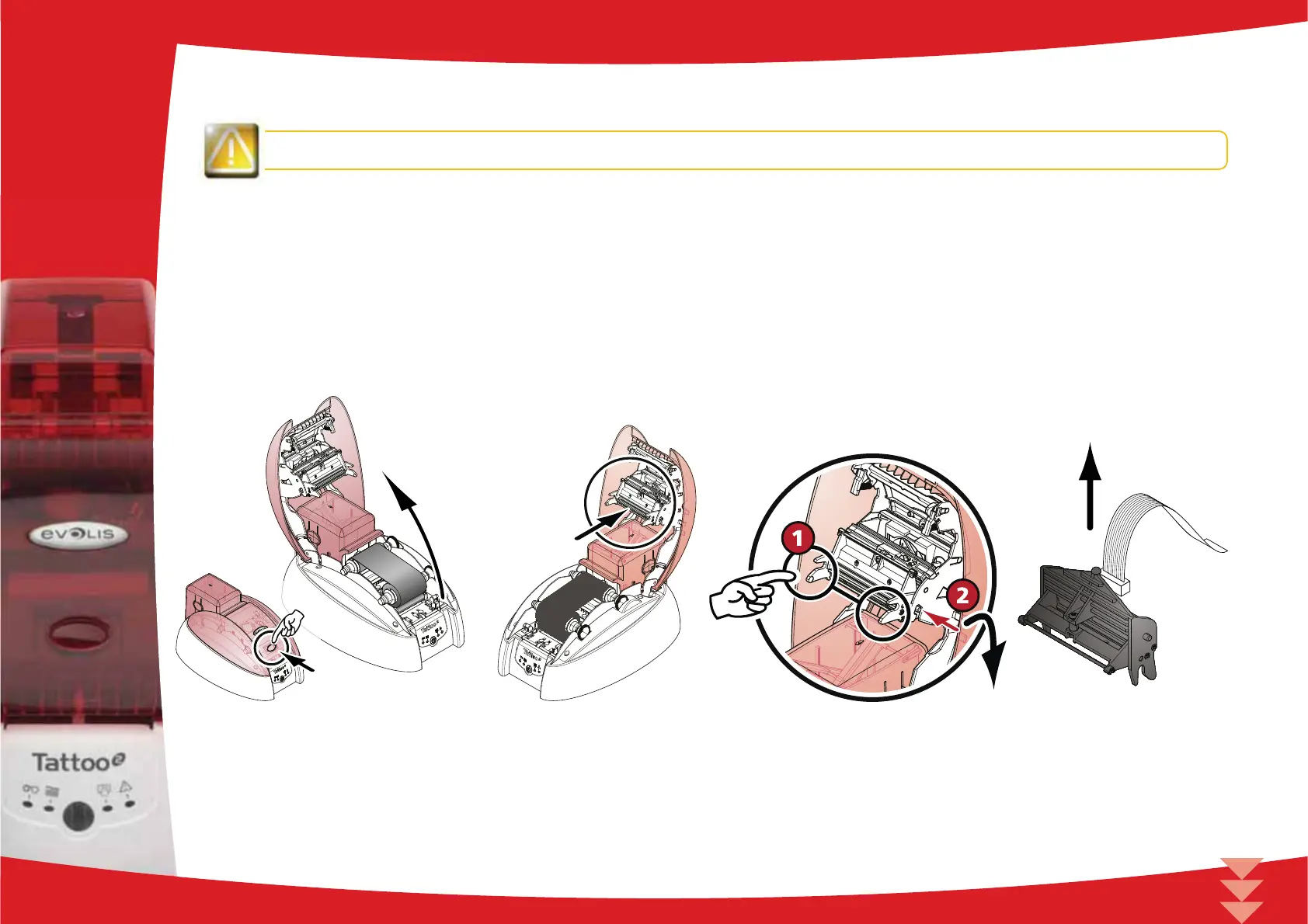
To exchange the print head, please proceed as follows:
Before changing the print head, please unplug the power cable.
³
Step 1 - Removing the defective print head
Open the printer cover.
Locate the print head.
Press on the metal part found at the bottom as shown on the diagram, in order to free the lugs from the holding fork,
then remove the lugs from their slots.
Tilt the head carefully and disconnect the connector linked to the cable without using force on the mechanism.
4
36



 To Next Page