1-3c CARDS
Use only the card types recommended by Evolis.
Do not touch the printable surface of the cards in order to preserve print quality.
Keep your cards protected from dust.
³
Loading the cards
The printer accepts PVC cards between 0.50 mm (20 mil.) and 0.76 mm (30 mil.) thick. For optimum quality, the cards used
must meet the CR 80 standard.
There is more than one way to load and collect the cards. The print driver must be matched your requirements and choices.
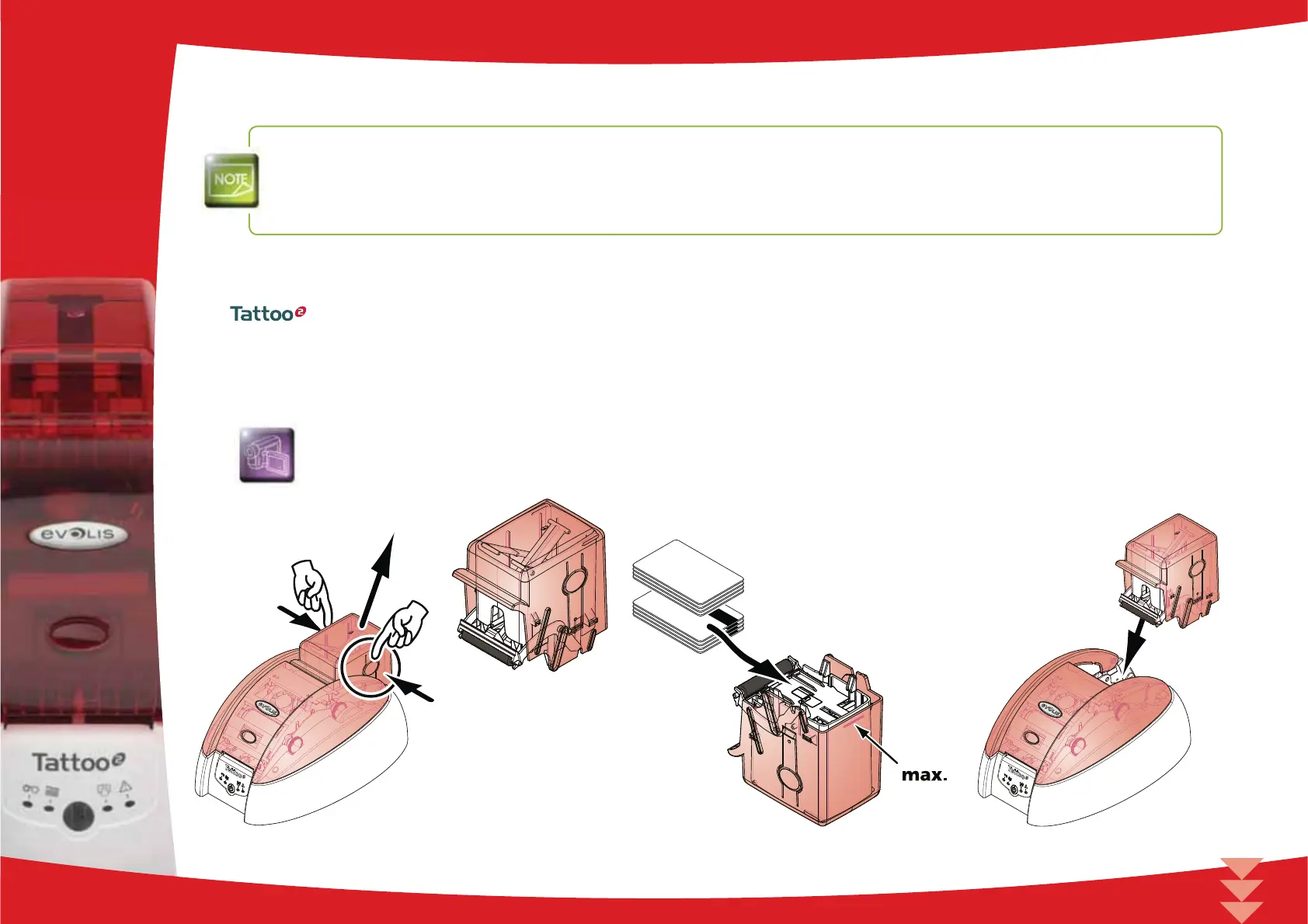
Loading cards into the card feeder
Cards are loaded into the feeder as follows:
Remove the card feeder from the printer as shown.
Insert the cards in the feeder as indicated, with the side to be printed facing down.
Put the feeder back into the printer, pressing until a click is heard.
1
8



 To Next Page