3-3 Servicing the cleaning roller(s)
In addition to routine printer cleaning, we suggest that you clean the cleaning roller(s) using the special wipes available from Evolis.
The cleaning roller(s) remove(s) any dust or particles from the cards before printing.
Recommended cleaning cycle: whenever the ribbon is changed*
Servicing accessory: cleaning wipe
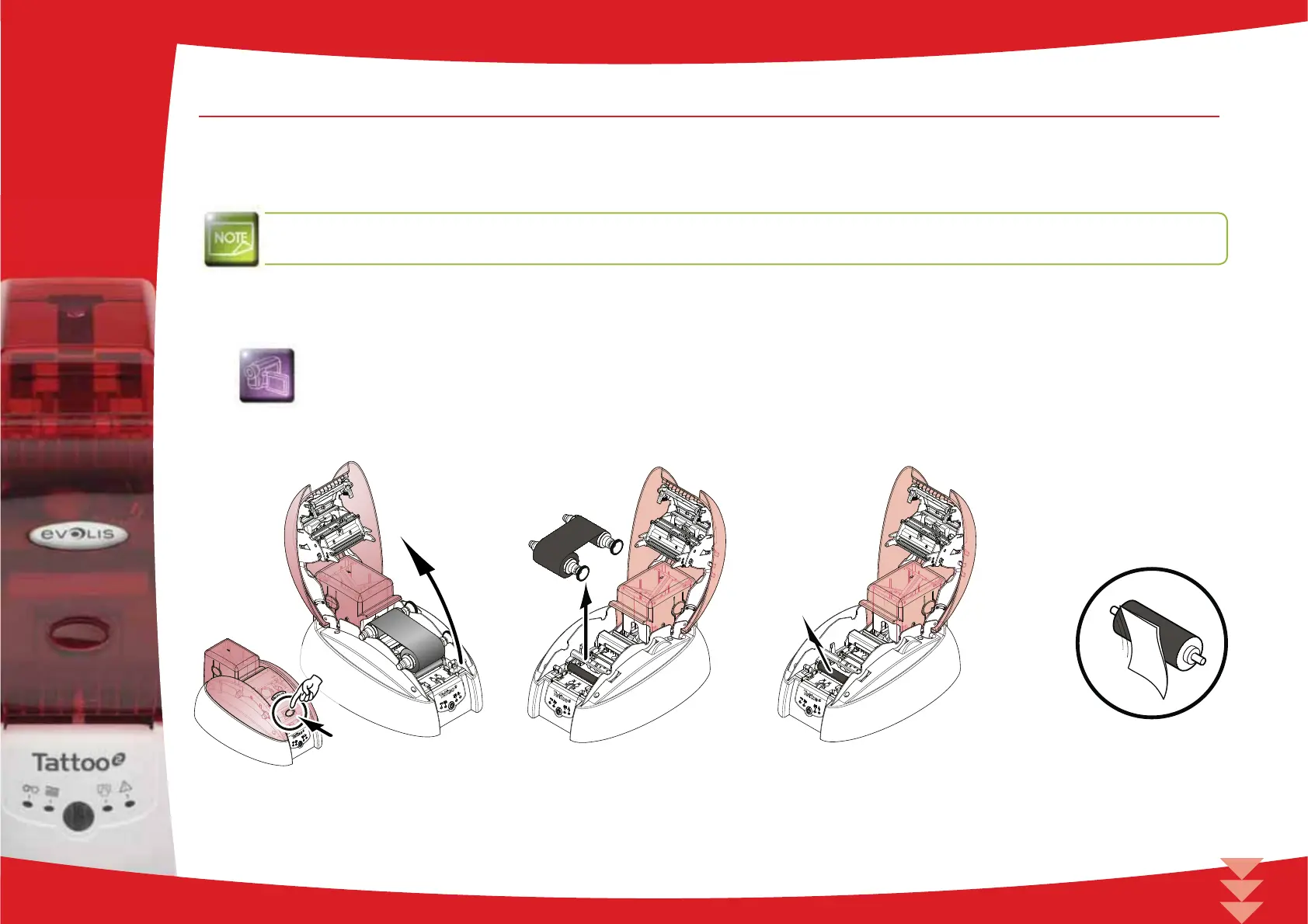
Follow the procedure below:
Open the cover.
Remove the cleaning roller.
Rub the wipe gently over the surface of the roller.
* does not apply to rewriteable printers
3
20



 To Next Page