11. Power cycle the gateway and wait until boot-up is complete. The new IP address is
now in use.
B. Changing PC’s IP Address
If your PC is not connected to a network or network is not available, you will need
to change your PC’s IP address to access the gateway’s website to configure its
network settings
1. Connect an ethernet cable directly between the PC’s network port and the
gateway
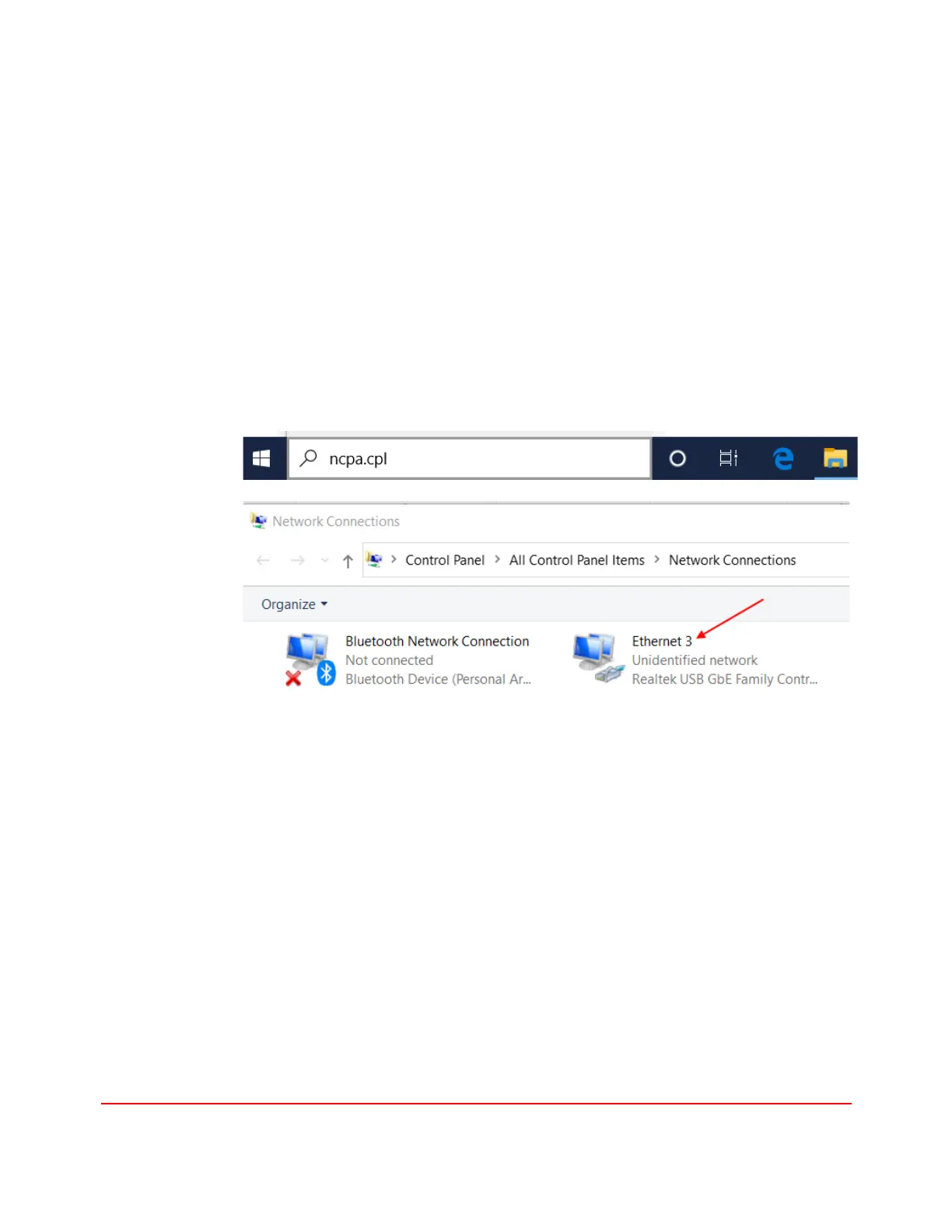
2. Enter “ncpa.clp” in the search box in the task bar to launch the Network
Connections explorer
3. Double click the Unidentified network to launch its Status dialog and click the
Properties button to launch the Properties dialog. The actual name “Ethernet
3” of the network interface may be different in different computers.


 To Next Page