CONFIGURATION
CONFIGURATION TOOL
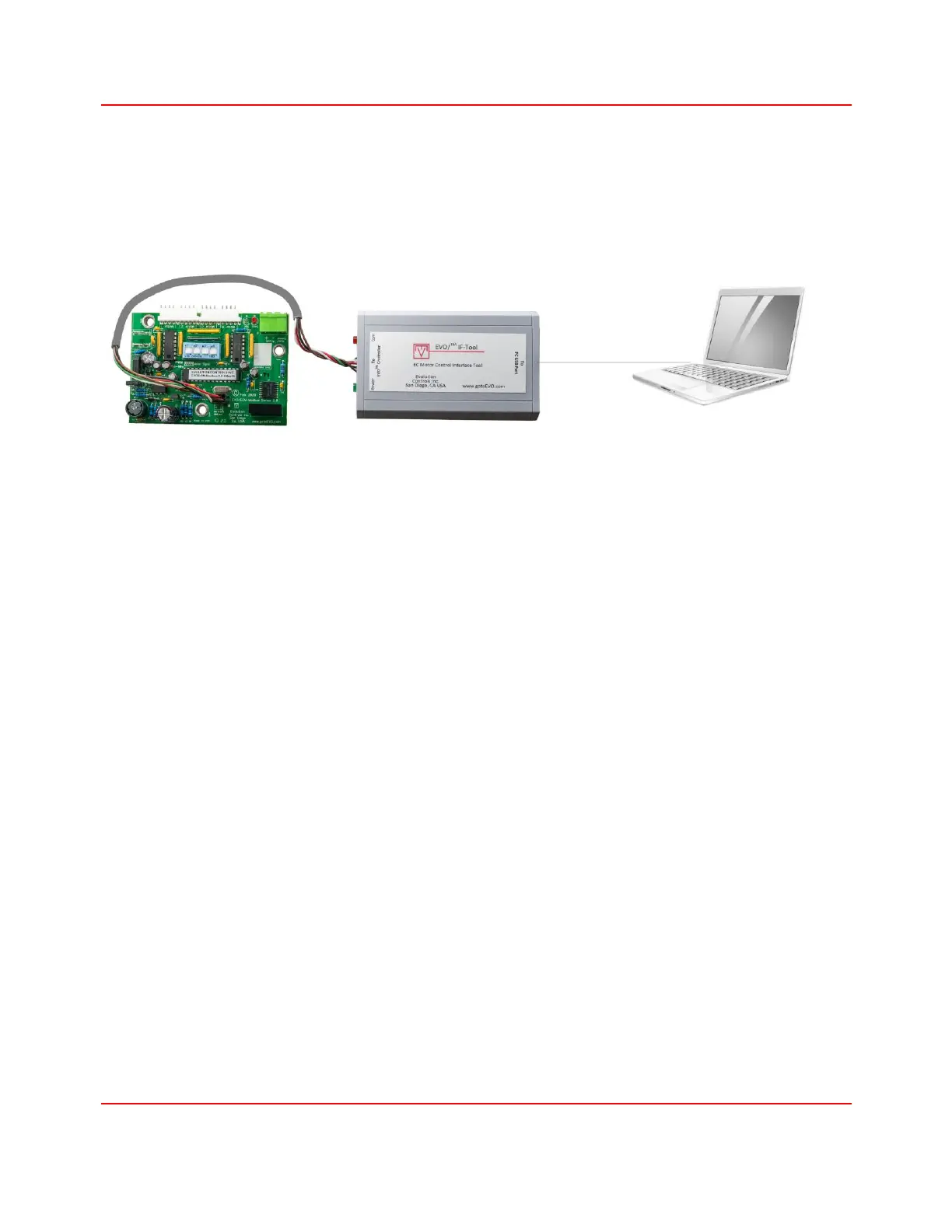
Starting from series 2.0, the EVO/
TM
ECM-Modbus controller is equipped with a serial port for
configuration. The default configuration can be downloaded through the EVO/
TM
IF-Tool interface
module using a PC running the EVO/
TM
Modbus Configurator software.
The EVO/
TM
IF-TOOL reads from and writes to the controller’s permanent memory with or without
applying power to the controller. It communicates with the controller through a dedicated
configuration port independent of the controller’s Modbus address and baud rate. These features
reduce complexity when setting up controllers at a job site where power and Modbus network
are not yet available or at the factory without the need to connect power or making a Modbus
connection.
The EVO/
TM
Modbus Configurator, a PC software, reads the default configuration and downloads
to the EVO/
TM
IF-TOOL which in turn writes to the controller’s permanent memory. Its user
interface is designed to minimize error in setting up the Modbus address which is time consuming
to troubleshoot. It also keeps track of the list of configured controllers and allows the user to save
the list with date and time stamp in a log file for record keeping. The software can obtain the
default configuration from four different sources.
1. Uploading from a Series 2 ECM-Modbus controller
2. Using the default configuration
3. Importing from a hex file
4. Importing from an Excel configuration file
After reading the configuration into the software from the selected source, the configuration can
then be downloaded to each connected controller simply by pressing the Write button in the
software. If change is needed, the user can edit and save the modified configuration.


 To Next Page