Evolution Digital
EVO-SUP-DMS2002HD-U-001-v1r0 Page 13
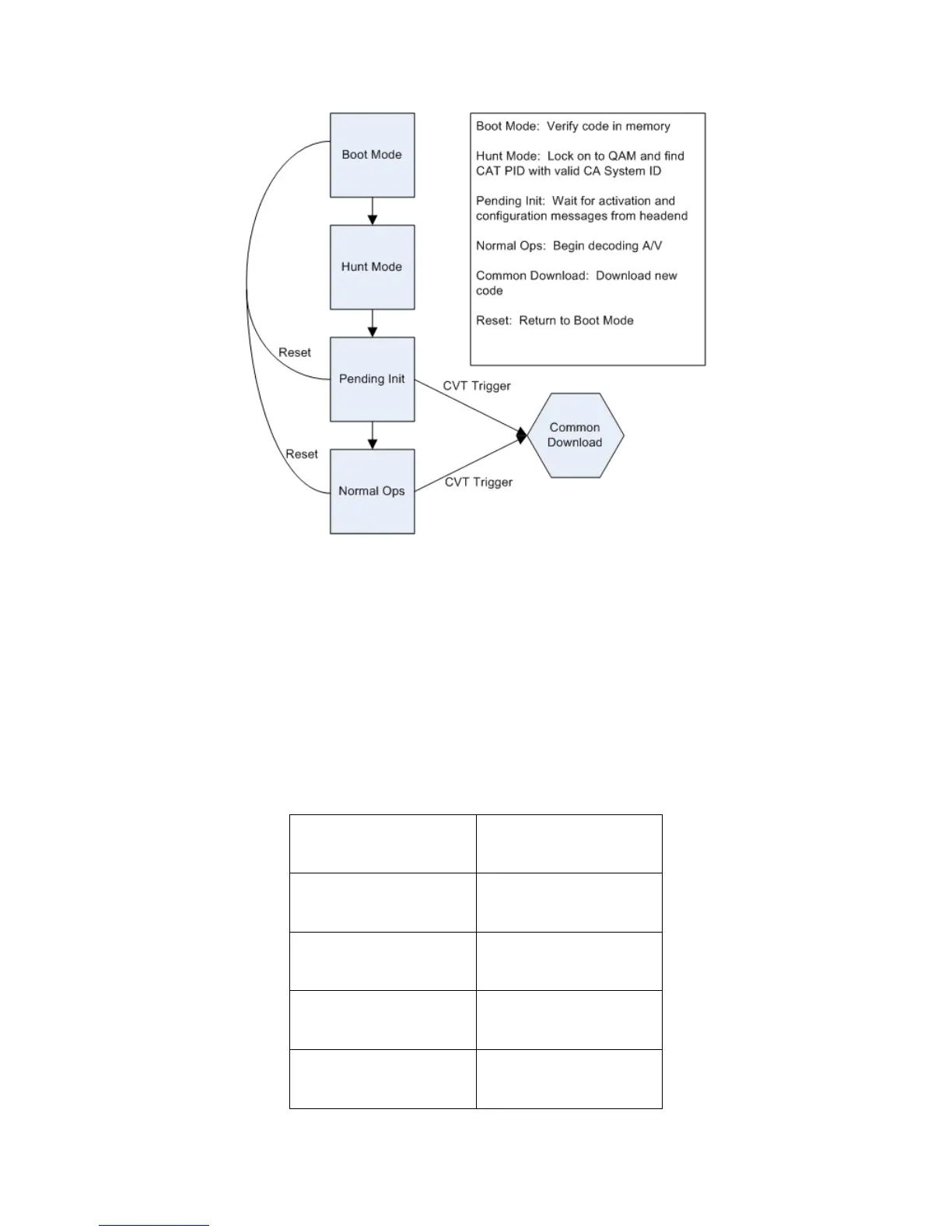
Figure 1 DTA Boot Sequence to Normal Operations
2.2 Boot Mode
The DTA will enter Boot Mode when power is applied or after a reset command has been received from the headend
controller. While in Boot Mode, the DTA will validate the active code image. Once validated, the DTA will launch
the image. After launching the image, the DTA will transition to Hunt Mode. If the DTA does not validate the code
image, it will transition to Trouble Mode. Table 2 details the properties of Boot Mode.
Table 2 Boot Mode Properties



 To Next Page