Evolution Digital
EVO-SUP-DMS2002HD-U-001-v1r0 Page 41
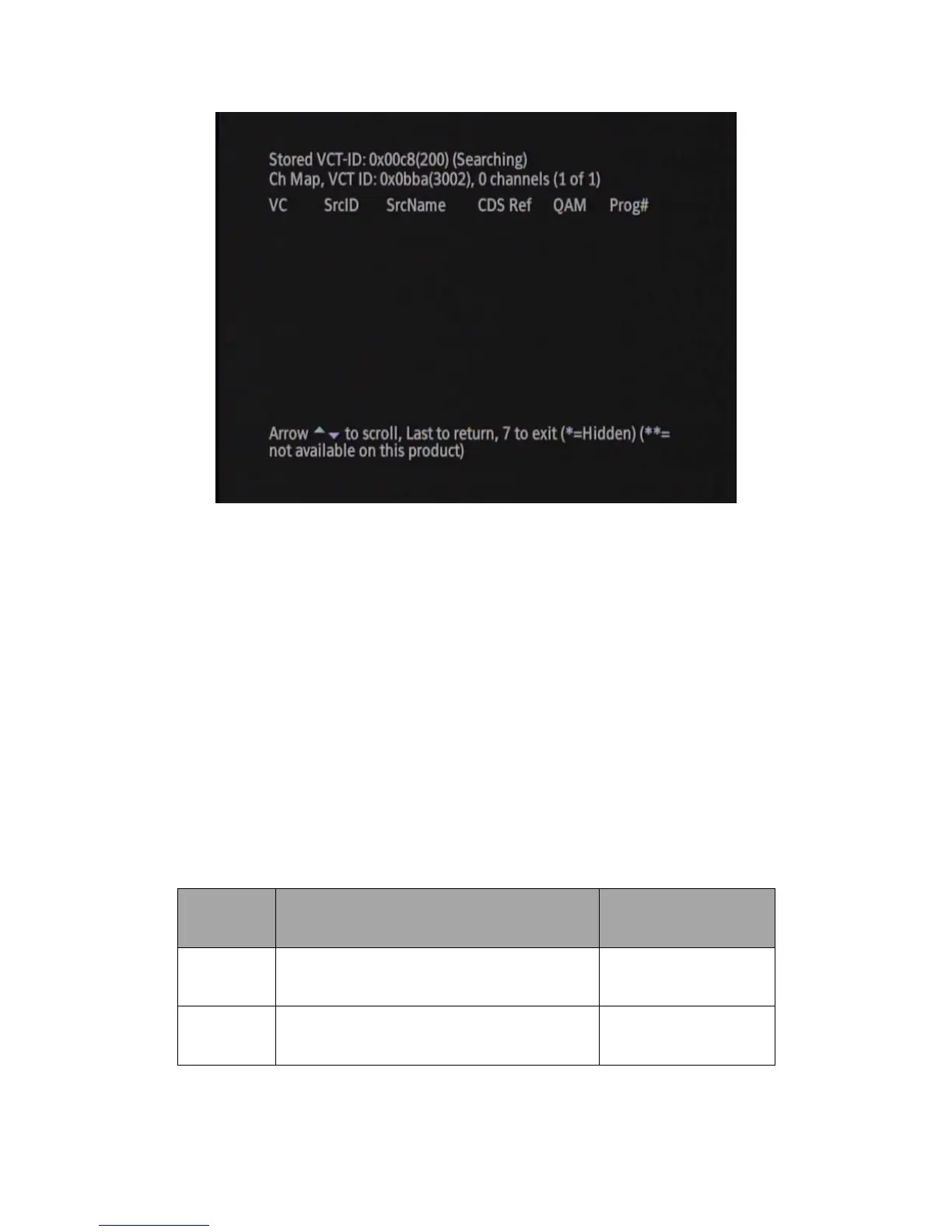
Figure 24 Virtual Channel Map Diagnostic Screen, Change in VCT-ID
To refresh this diagnostic screen, simply press the Last button on the remote and hit Enter while the Virtual Channel
Map diagnostic menu is highlighted with the arrow. This will take you back to the Virtual Channel Map diagnostic
screen with the screen refreshed (only if changes have been made since it was last viewed).
4.0 DTA Reset
The DTA can be reset in multiple ways. Table 10 shows the types of resets that can be delivered to the DTA.
Please note that the headend controller may not have an exact command available to reset the DTA in the manner
described. Please consult the headend controller vendor for more details on how to remotely reset the DTA and
what commands to use.
Table 10 Reset Types and their Effect on the DTA



 To Next Page