Evolution Digital
EVO-SUP-DMS2002HD-U-001-v1r0 Page 16
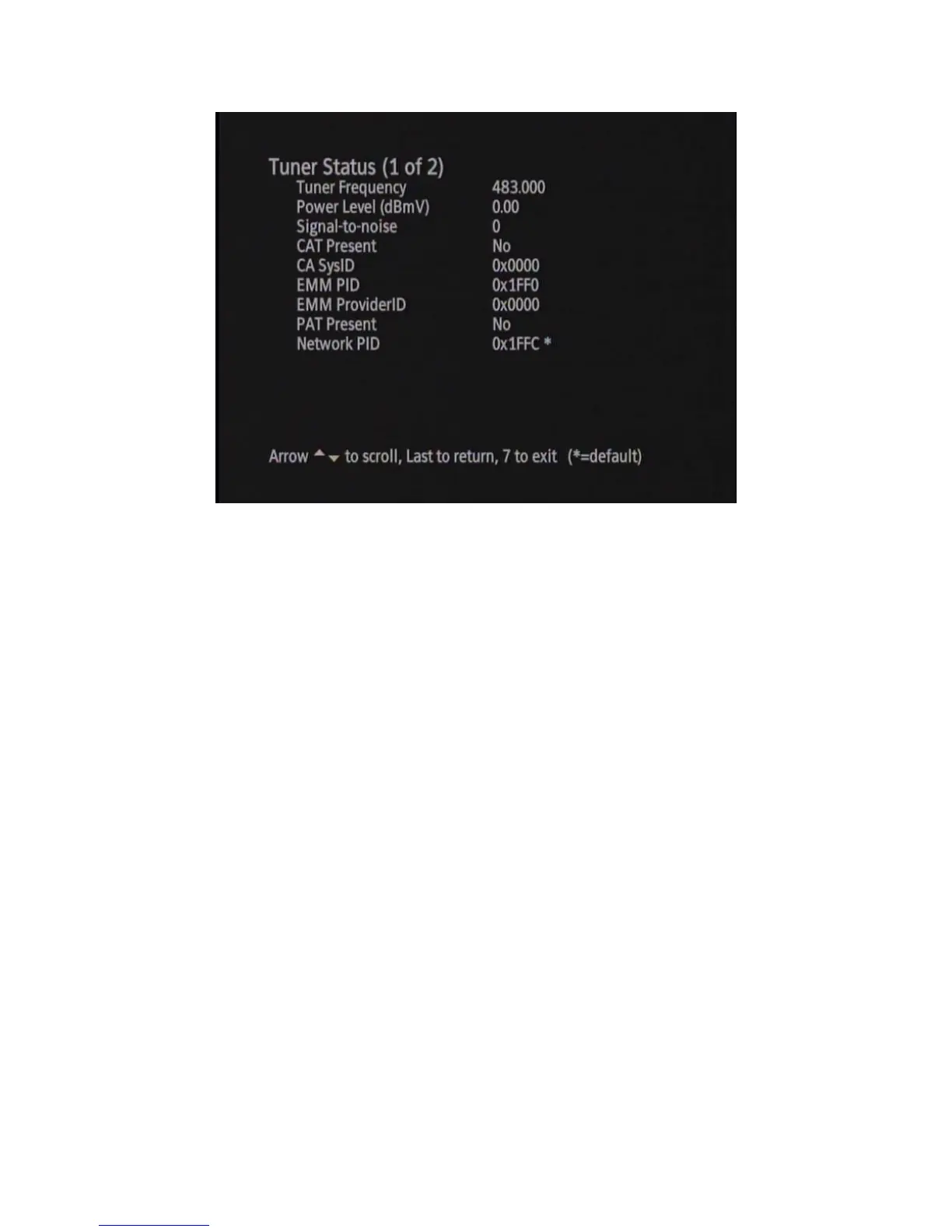
Figure 3 Tuner Status, Hunt Mode
2.3.1 QAM Search
Upon entering Hunt Mode, the DTA will check if the Turn On QAM is set in NVRAM. If the Turn On QAM is set,
the DTA will attempt to tune to this QAM. If the DTA does not lock within 1 second, it will continue searching for
QAMs. If there is no stored Turn On QAM in NVRAM, the DTA will start its QAM search using a predefined hunt
list. Please see Appendix A for the predefined hunt list. A predefined hunt list has been created to help speed up the
initial installation of the DTA on a cable network. Upon locking to a QAM, the DTA will wait 3 seconds for a CAT
PID containing a valid CA system ID. It is expected the CAT PID will be 0x01 (decimal 1). If the CAT PID is
found and it contains a valid CA system ID, the QAM will be stored as the Turn On QAM and the DTA will
transition to Pending Initialization Mode.
Once the DTA enters Pending Initialization Mode, you will also notice that the DTA will populate the CA and
Network parameters into the DTA Tuner Status diagnostic screen. Figure 4 below shows an example of the updated
Tuner Status diagnostic menu once the DTA has entered Pending Initialization Mode.



 To Next Page