EasyManua.ls Logo

Evolution Digital HD-uDTA-E - Figure 5 Hunt Mode On-Screen Message - Initial Scan; Table 4 Hunt Mode Progress Bar Percentages

Default Icon
131 pages
Print Icon
To Next Page IconTo Next Page
To Previous Page IconTo Previous Page
Loading...
Evolution Digital
EVO-SUP-DMS2002HD-U-001-v1r0 Page 18
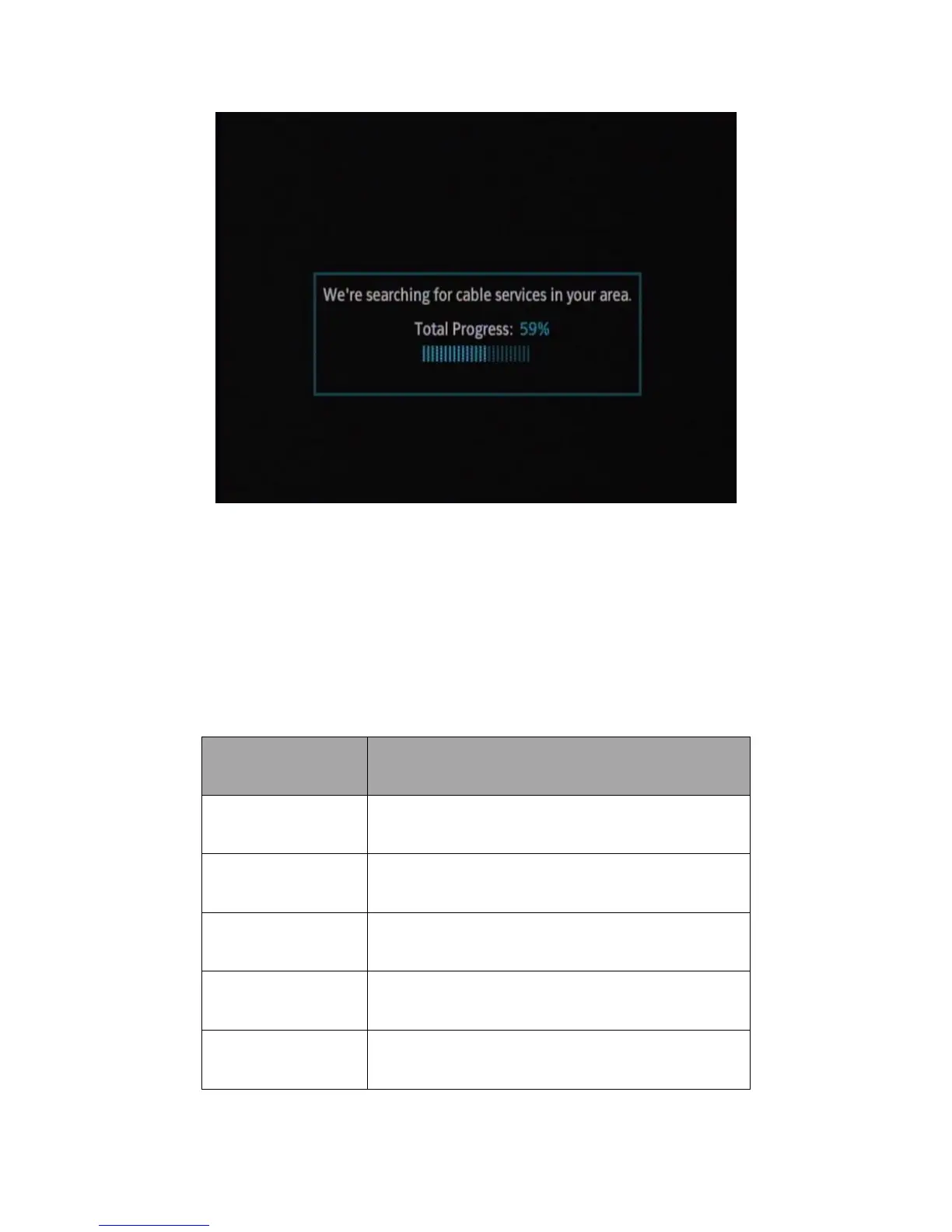
Figure 5 Hunt Mode On-Screen Message Initial Scan
This message is displayed while the DTA performs its initial hunt for QAM lock and CAT with CA system ID
detection. The progress bar is shown on-screen for the duration of two full iterations through the predefined
frequency list detailed in Appendix A Frequency Hunt List. Table 4 shows how the percentage values line up with
the frequency list.
Table 4 Hunt Mode Progress Bar Percentages

Percentage Complete
Frequency List scanned
0%
Scan started
25%
First iteration through frequency list, half-way through
50%
First iteration through frequency list completed
75%
Second iteration through frequency list, half-way through
100%
Second iteration through frequency list completed

Table of Contents

Related product manuals