90
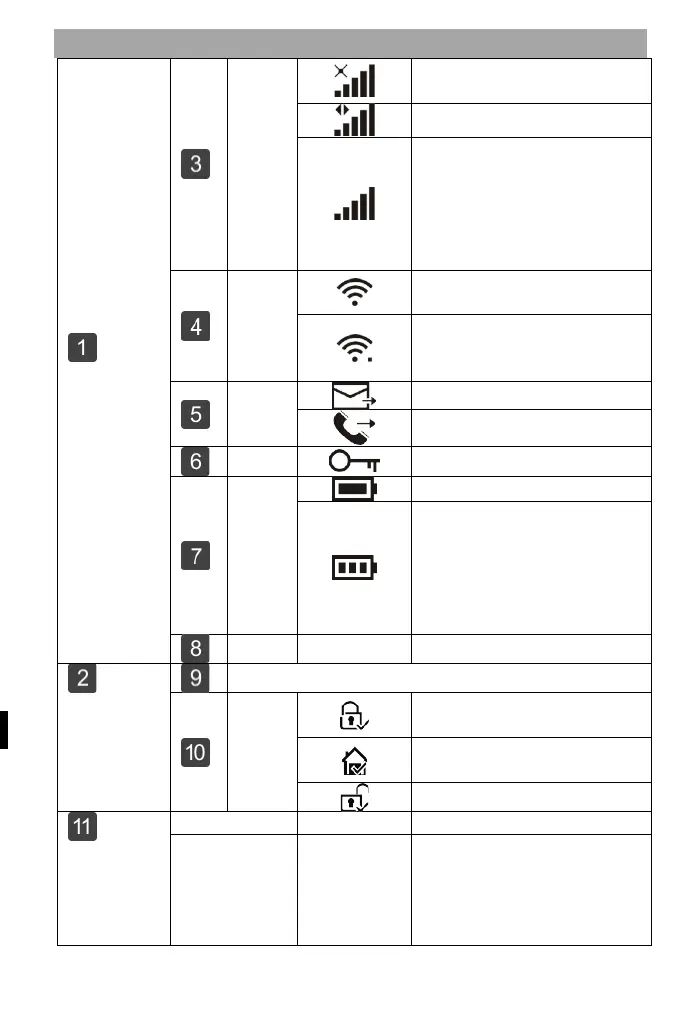
INFORMATION ABOUT DISPLAYING THE HOME SCREEN
Top
status bar
GSM
status
The SIM card is not present
or the SIM card is faulty
Signal strength at RSSI level
Signal strength is displayed
by a series of 1 to 5 lines
(weak to strong) and the lines
are greyed out if no mobile
Stav
Wi-Fi
Indicates that the system is
connected to WiFi.
Indicates that the system is
connected to the server if a
GSM
Power
status
Appears when the system has
lost AC power.
The icon is red when the
backup power supply is
discharged.
08:45
Activation/
Disarm
status area
Date, time and day
ted/Di
sarme
d
Status
The system is active in AWAY
mode
The system is active in STAY
mode
System
status
display area
Countdown
"Please
leave the
room" +
deduction
You now have xx seconds to
leave the area before the
departure delay expires.



 To Next Page