98
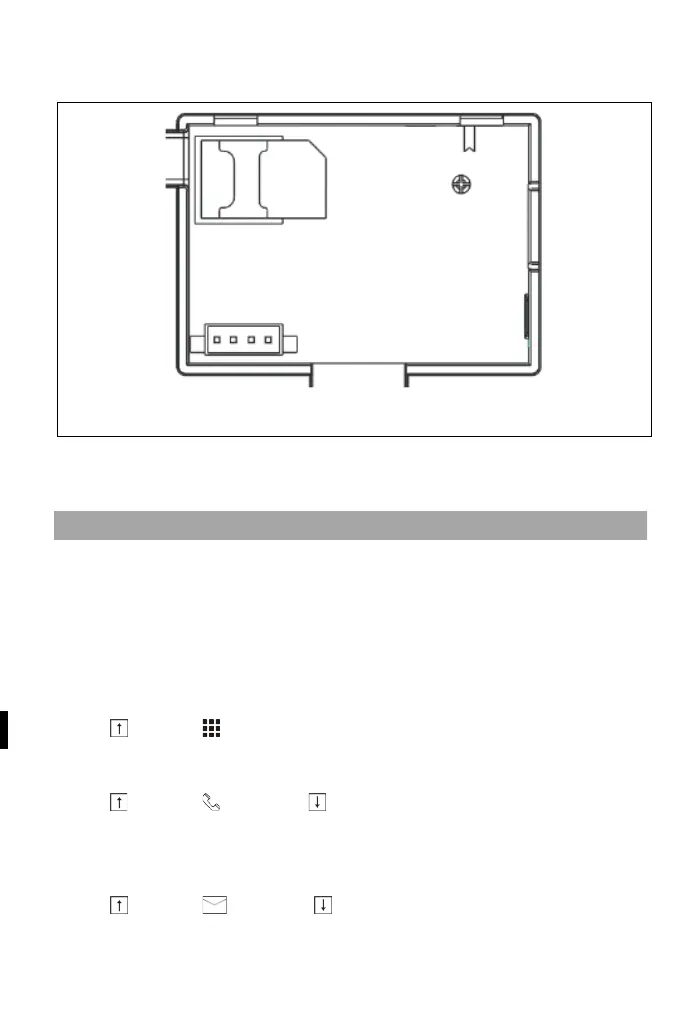
diagram below) and the control panel is connected to a GSM
mobile network or the internet.
AC power connection - Connect the power supply to a DC 5V
outlet and press the battery backup switch to the "ON" position.
PHONE NUMBER SETTINGS
Up to 5 user phone numbers to which SMS alarm notifications
and audible alerts will be sent.
Select: "Main menu → Phone
→1st
Phone,
2nd
Phone,
3rd
Phone,
4th
Phone or
5th
Phone", the system will display the phone
programming screen.
Use to go to , then use the numeric keypad to enter th
e
p
hone number (up to 18 digits).
Use to go to , then use to toggle between "off" and "on". If
the "on" option is selected, the voice dialling of the alarm will be
ac
tive.
Use to go to , then use to toggle between "off" and "on".
If "on" is selected, the SMS alert function will be active.



 To Next Page