86
SYSTEM OVERVIEW
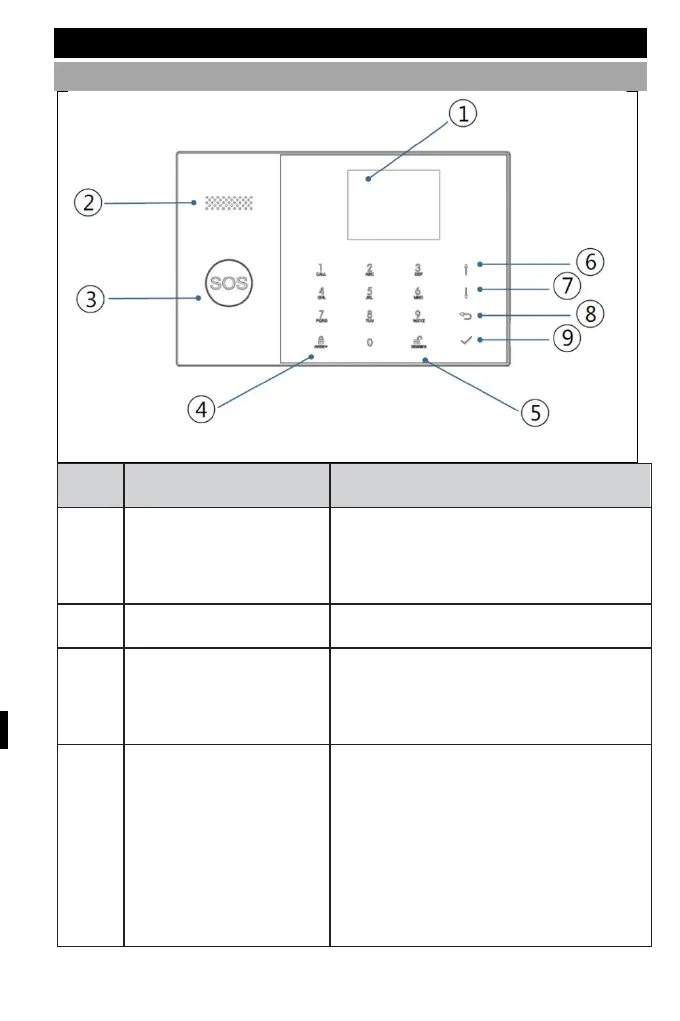
ABOUT PANEL
2.4" TFT display. Displays status icons
and
system information, time, zones,
information and user menus.
Alarms and confirmation sounds.
Pressing the button triggers an alarm
in the event of a fire or personal
emergency.
4
AWAY/STAY activation
button
Press the button to activate the entire
burglar alarm system, both perimeter
and interior.
Press the button twice to disarm the
perimeter section programmed for the
"Stay Arm Active" burglar alarm
system only. The internal protection is



 To Next Page