page 26 of 49
3.3.2. Accessing the web client (web UI) and configuration
The charger has a backend that is accessible via a web interface. The web client can be
accessed from any HTML browser on a Wi-Fi enabled device, such as a smartphone, tablet, or
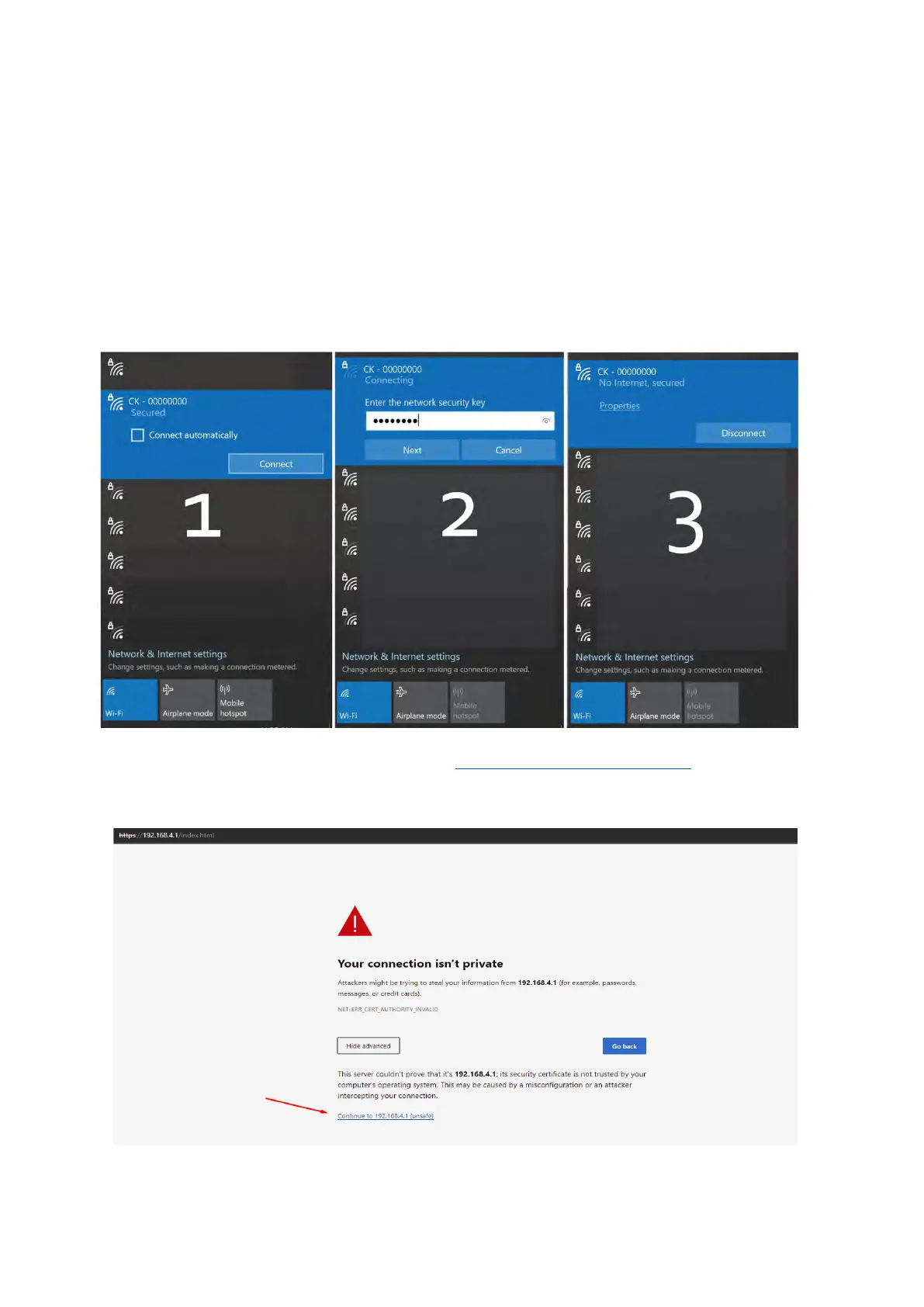
laptop. On startup, the charger broadcasts its name and serial number as a Wi-Fi network (e.g.,
CK-0000000). After entering its network pass code (credentials can be found on the factory
NFC card supplied with the device), the device will be connected.
Note: some mobile devices may notify that they are connected to a network but have no
internet access. Such warnings can be waived and the device allowed to go through with the
connection.
In a web browser, enter the index IP address (https://192.168.4.1/index.html). Ignore
certificate warnings, if any arise; if certificate validation warnings persist, switch to a
different browser (recommended – Firefox, Edge, Chrome, Safari):



 To Next Page