page 39 of 49
5. Appendix I: Light state description with error codes and
light indication explained
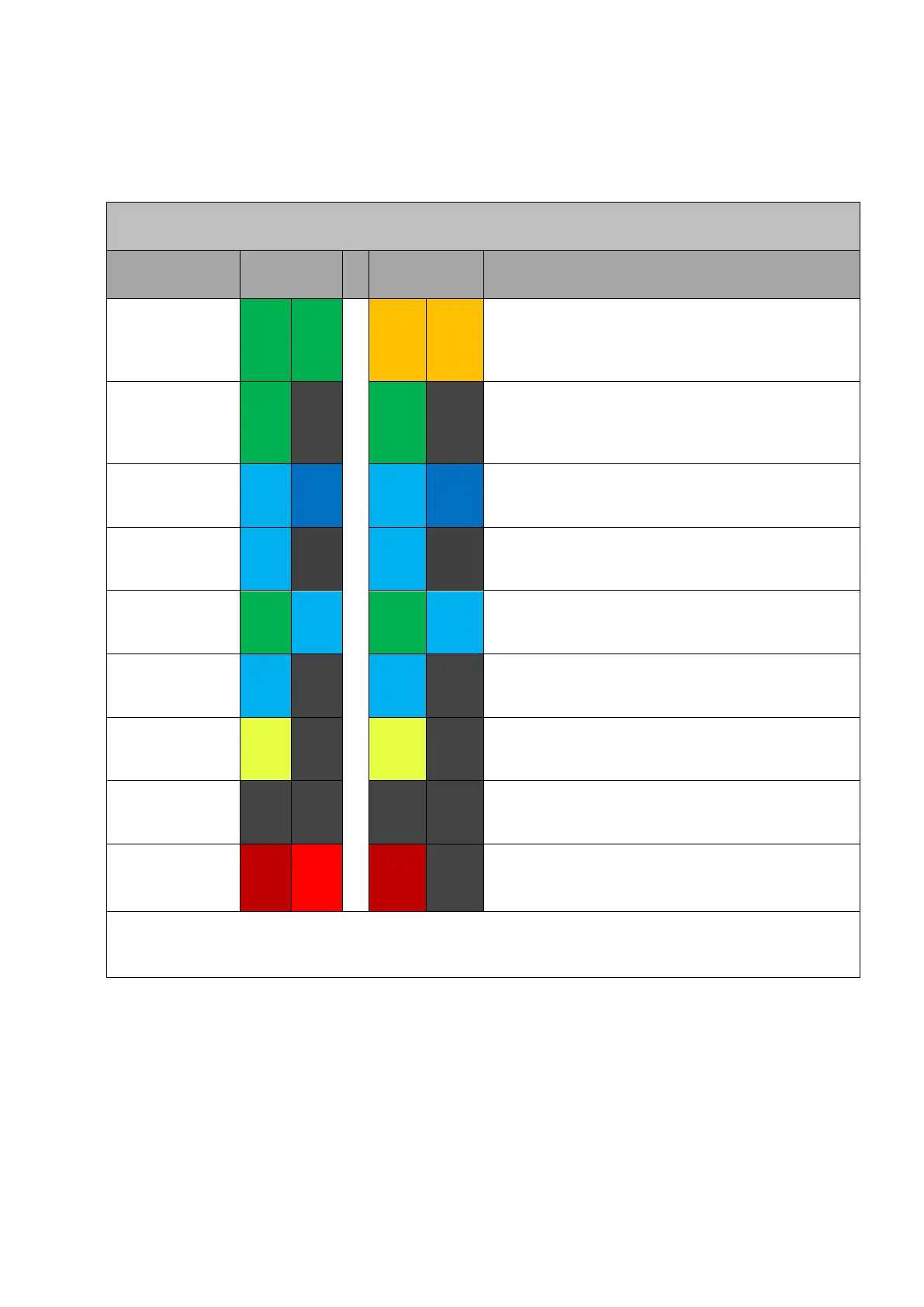
charger RGB Light Status Indicators
Device is available to start a charging session. In
the online state, it is connected to the OCPP
backend. Offline, it may be set up as Plug-in
Charge”
The charger is preparing to start a charging
session. Occurs when an EV is plugged in and
the charger is waiting for authorization to being
charging.
The charger is charging the EV as per app
settings.
The EV has caused the charger to stop the
charging session.
The charger has stopped the charging session.
The charger is preparing to terminate the
charging session.
The charger has been reserved for a user
(public chargers)
The charger is not available. This may have been
set by the OCPP backend for diagnostic or
service purposes.
The charger has encountered a problem and is
in a fault state. More information can be
accessed via the web client (see 3.3.1).
Note: The two adjacent patches indicate whether the status lights are constantly lit (identical colors) or
blinking - switching between the two different colors



 To Next Page