page 35 of 49
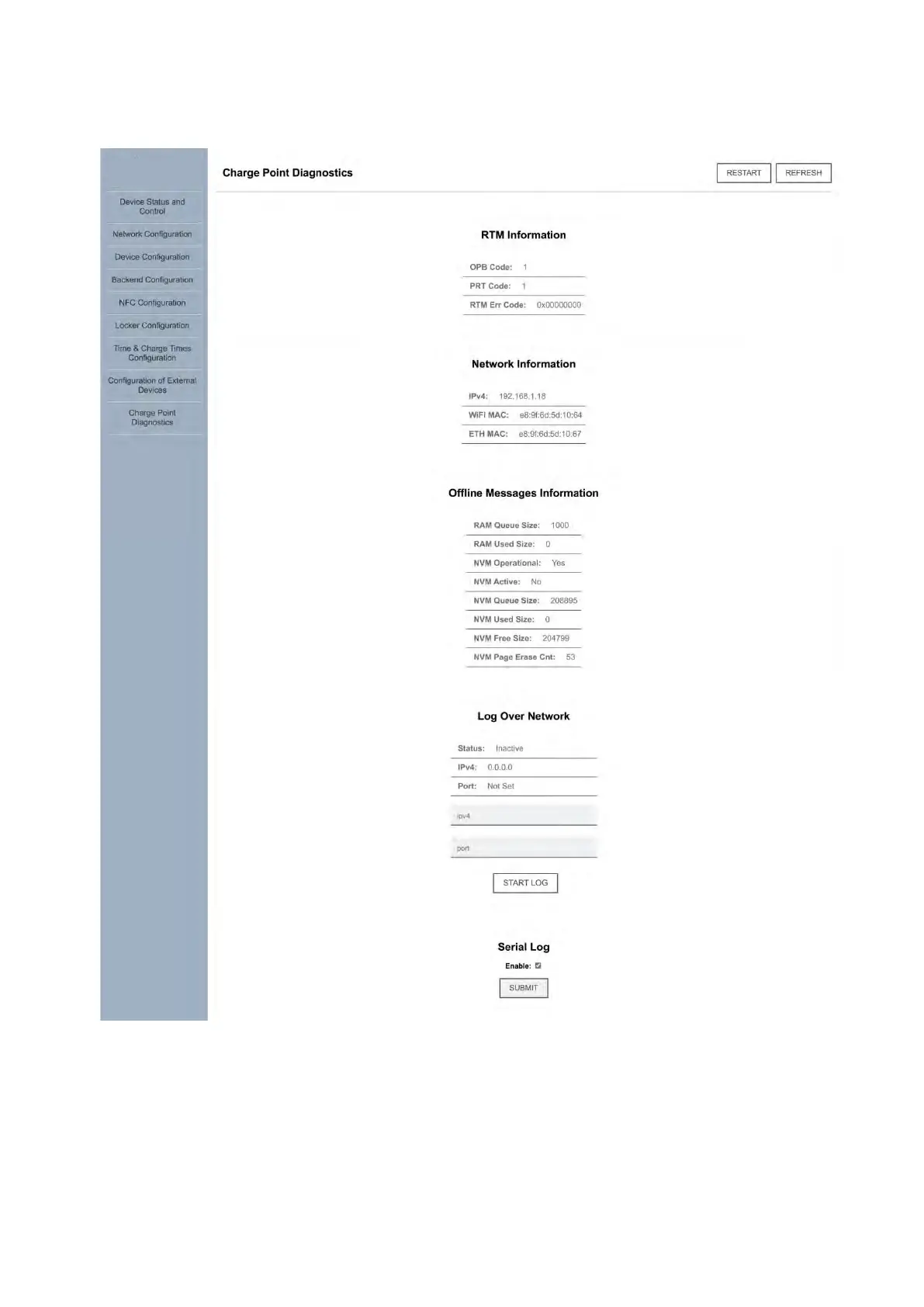
The “Charge Point Diagnostics” tab contains useful troubleshooting information:
RTM: internal diagnostic
Ensure that OPB and PRT values
are “1”, otherwise contact
manufacturer
Network information - used to
troubleshoot connection issues
between the charger and the OCPP
backend and/or Internet
Network log feature:
only for internal
diagnostics use
RTM error code: a.k.a. vendor
error code. Can be used to
troubleshoot faults, see
appendix
Serial log feature: only
for internal
diagnostics use
NVM (non-volatile memory)
state: used for internal
diagnostics only



 To Next Page