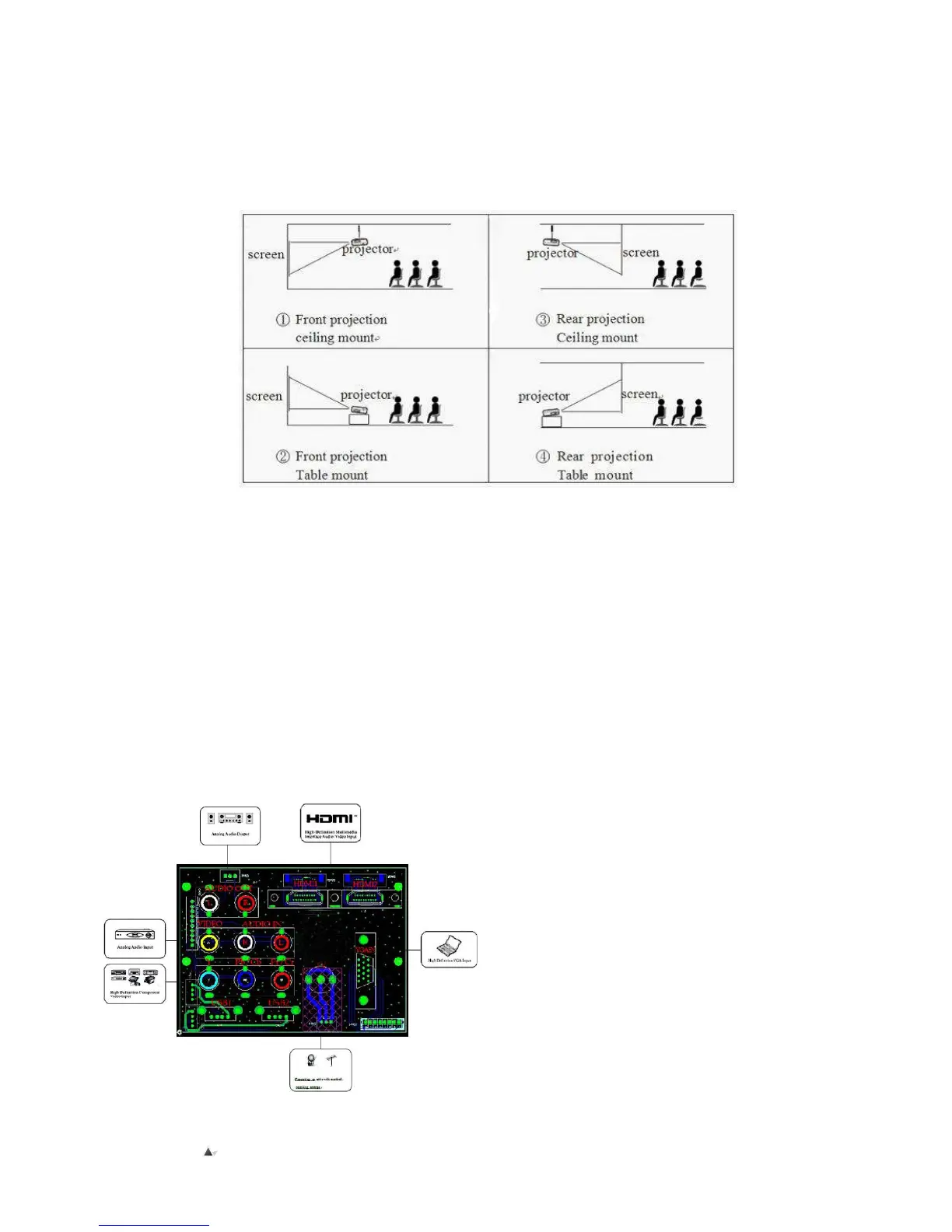
Installation Of Projector
▲Installation Method
If installing the projector on the ceiling, please consult a professional installer, also follow diagram below for projector positioning.
Be Advised:
1) To avoid damage to projector, please ensure the projector is mounted properly to the ceiling or on stable surface accordingly.
2) Keep the working environment of projector within temperature range around 0 oC ~ 35 oC, otherwise it may cause
unnecessary issues.
3) If the projector is used in a humid environment, it may affect the shape of screen; and cause a functionality issue with the unit.
4) Please ensure enough ventilation is around the projector; otherwise it may shorten service life of projector.
Installation Of Projector
▲Instructions For Connecting Unit
Built-in TV (Digital TV) of CL720D
Attention:
Before start-up, please ensure there is a connection
with a external device such as PC, DVD player etc.


 To Next Page