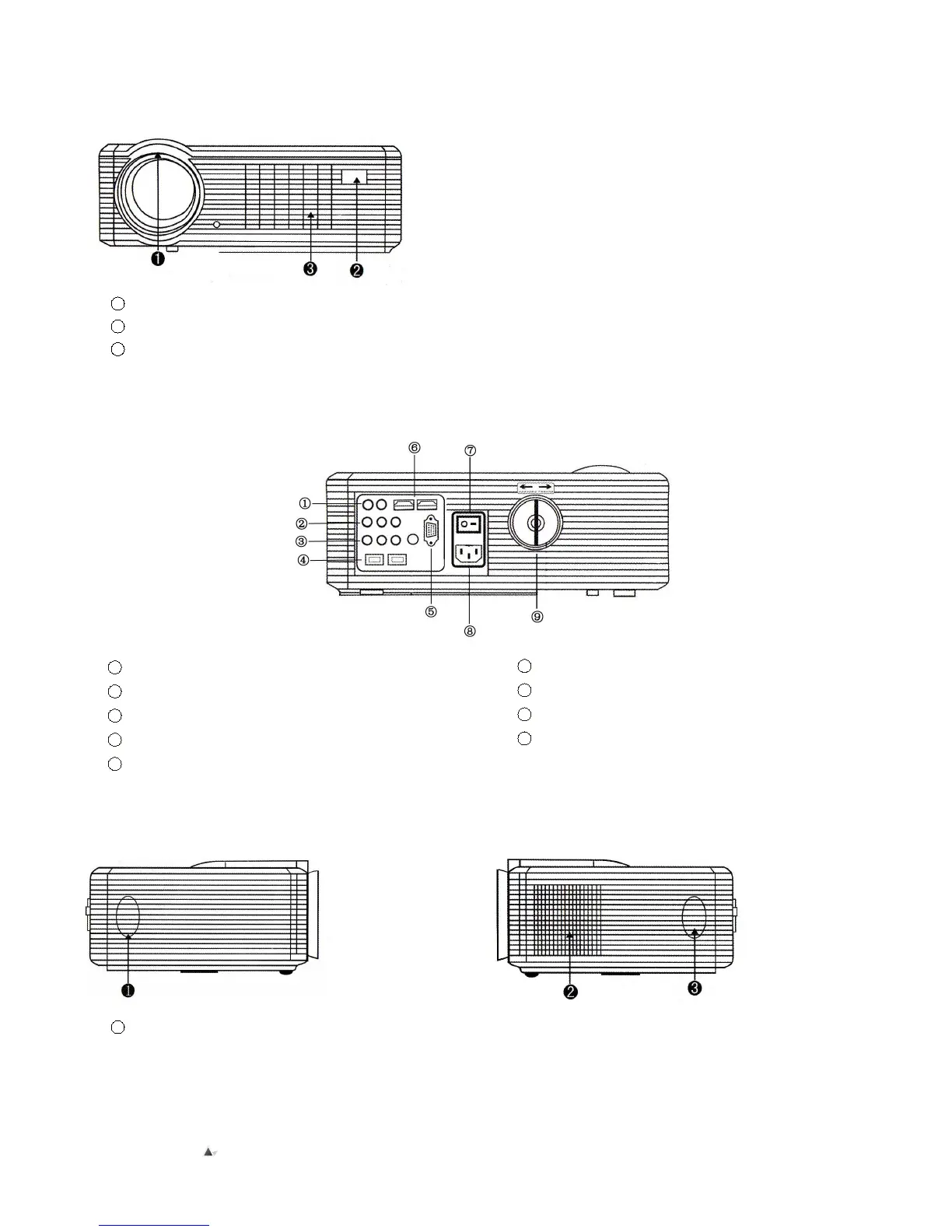
▲Front view of projector
1
Lens
2
Remote Sensor
3
Ventilation Window
Remarks:
1) While using the remote control, point it toward remote
sensor
2) You can adjust the definition of image through adjusting
lens focus;
3) The adjustable support base can assure the max
projection angle by 15
o
, The best display effect willl be
obtained by projection angle ranges of 0
o
~ 8
o
.
▲Rear view of projector
.
1 Audio out (L/R)
2
Composite AV
3 Y/PB/PR
4
USB Ports
5 HDMI High-Density Interfaces
6
VGA Input
7 Power Switch
8
Power Plug
9 Trapezoid Correction
▲Side view of projector – Right
1
Right Speaker
▲Side view of projector – Left
② Ventilation window
③ Left Speaker


 To Next Page