▲
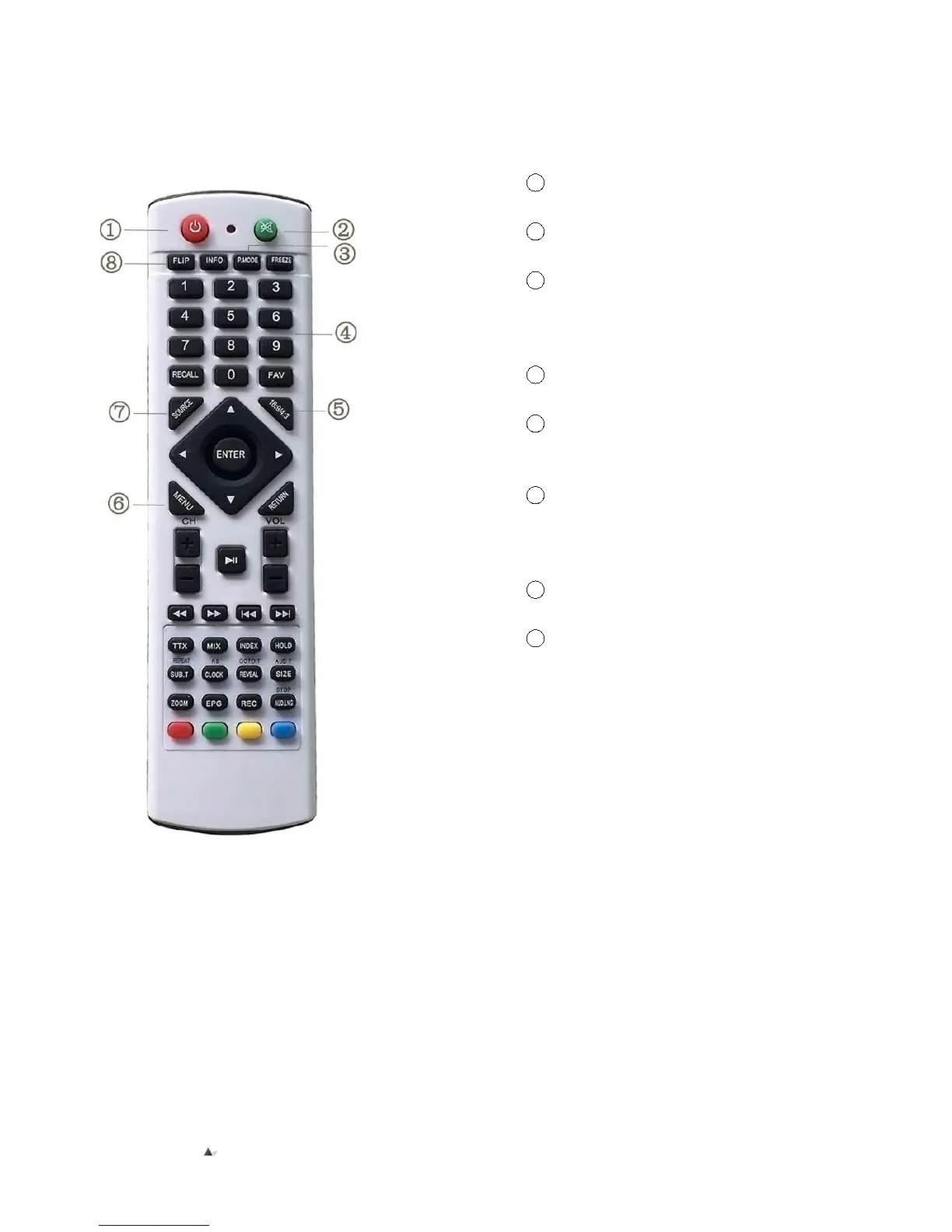
Instructions for buttons on remote control
1 Power for turn on
the projector
2 Mute open or close
the volume
3 Image effect reset
key can set image
brightness ,soft color or
personality quickly in turn
4 Number Buttons
selects TV channel directly
5 16:9/4:3 switch the
display picture for 16:9 or
4:3
6 Menu Key open or
switch the parameter menu
Direction Key menu
mode ,adjust parameter
7 TV/AV/Ypbpr/VGA/
USB/HDMI/Input Signal
8 V-flip Key adjust
Image up/down rotate
Be Aware:
Do not expose the remote control to, liquid or high humidity environments. Do not expose it to direct
sunlight or other intense light sources when operating.


 To Next Page