Visual Instructions
▲
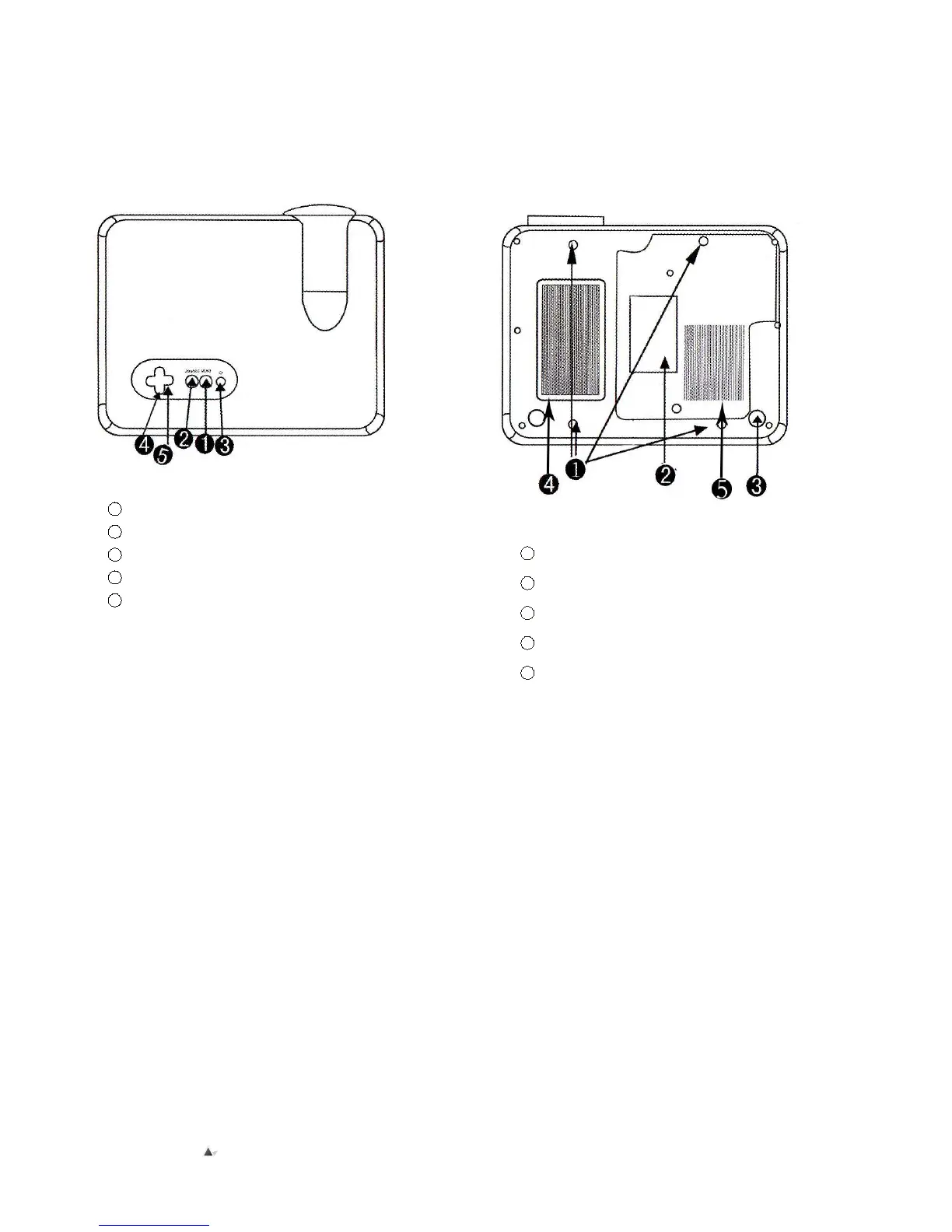
Top view of projector
1
Menu Button
2
Source Button
3
Power Button
4
Channel Button
5
Volume Button
▲Bottom view of projector
1 Ceiling Holes
2
Product code area
3
Support base
4
Ventilation Window
5
Ventilation Window
Remarks: While using the projector on a ceiling, please shift the
high regulator, and ensure all the screws for the 4 hole are in
position 1, with length less than 10mm – this is to avoid
electrocution due to longer screws penetrating the plastic shell and
touching high voltage components inside the projector.


 To Next Page