Note:
If this is the first time to use the projector, please read the “Installation” section in this manual before using. To connect the signal
cable and power cable to the projector, follow this operating process:
Before starting the projector, please connect external device (such as PC, DVD player, etc.
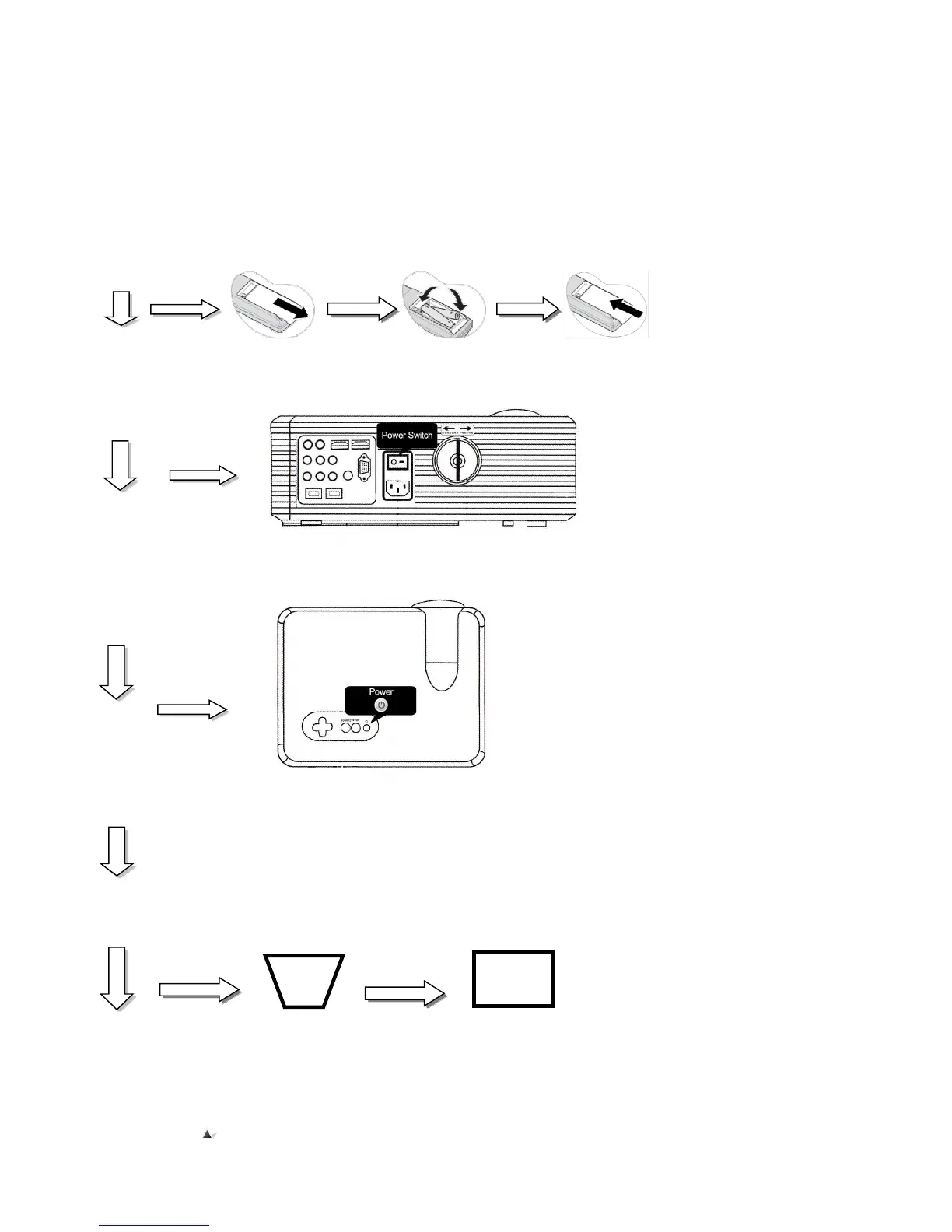
1, Please put 2 AAA size batteries inside the remote control before use;
2, Connect the power cable to the power jack, the indicator light should turn on red, remove the lens cap;
3, Press the “power” button on remote control, or till the panel indicator lights on.
4, After 2 seconds the projector will start up;
5, The projected image may be blurry or in the shape of a trapezoid, please read “How to adjust the trapezoidal image”chapter to
6, Once the image becomes clear, the user can watch desired selections; The system parameters of the projector can also be set by
reading the“Guides for menu setting”chapter.


 To Next Page