2642
26
Key Telephone
Auto Dial Setting
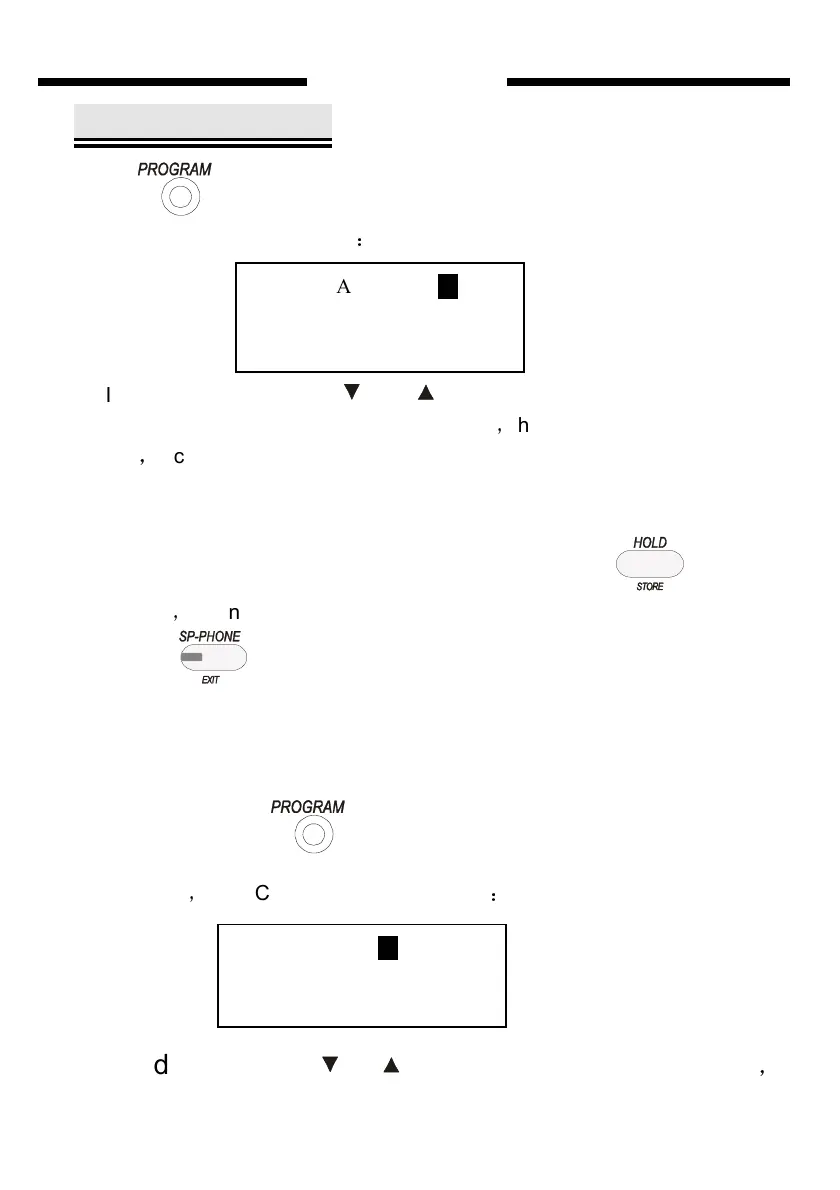
press four times then system will enter AUTO DIAL Setting state,
the LCD will display as follows
:
In this state press key or ( navigate key) or input number
directly you can adjust auto dial team number
,
the adjustable range is from
1 to 96
,
it can be adjust recycle. Choose the right team NO. , press directly
the CO. numbers you want. If the input is wrong please choose the right
team NO., and input again.
After finish to set the AUTO DIAL number, please press to save
the setting
,
Then you will hear “ DI” to show save successfully. Finally you
can press once to exit the AUTO DIAL setting state into NORMAL
IDLE state.
Take to set the 20th number of AUTO DIAL team as”13302818996” as
example
First step:press four times, key phone will enter AUTO DIAL
setting state
,
the LCD will display as follows
:
Second step:press
or to set the AUTO DIAL number as 20
,
AUTO DIAL 49
KEYPHONE
AUTO DIAL 01
SYSTEM


 To Next Page